

On-server help, drafts, and MCP integrations

AI assistant & tools

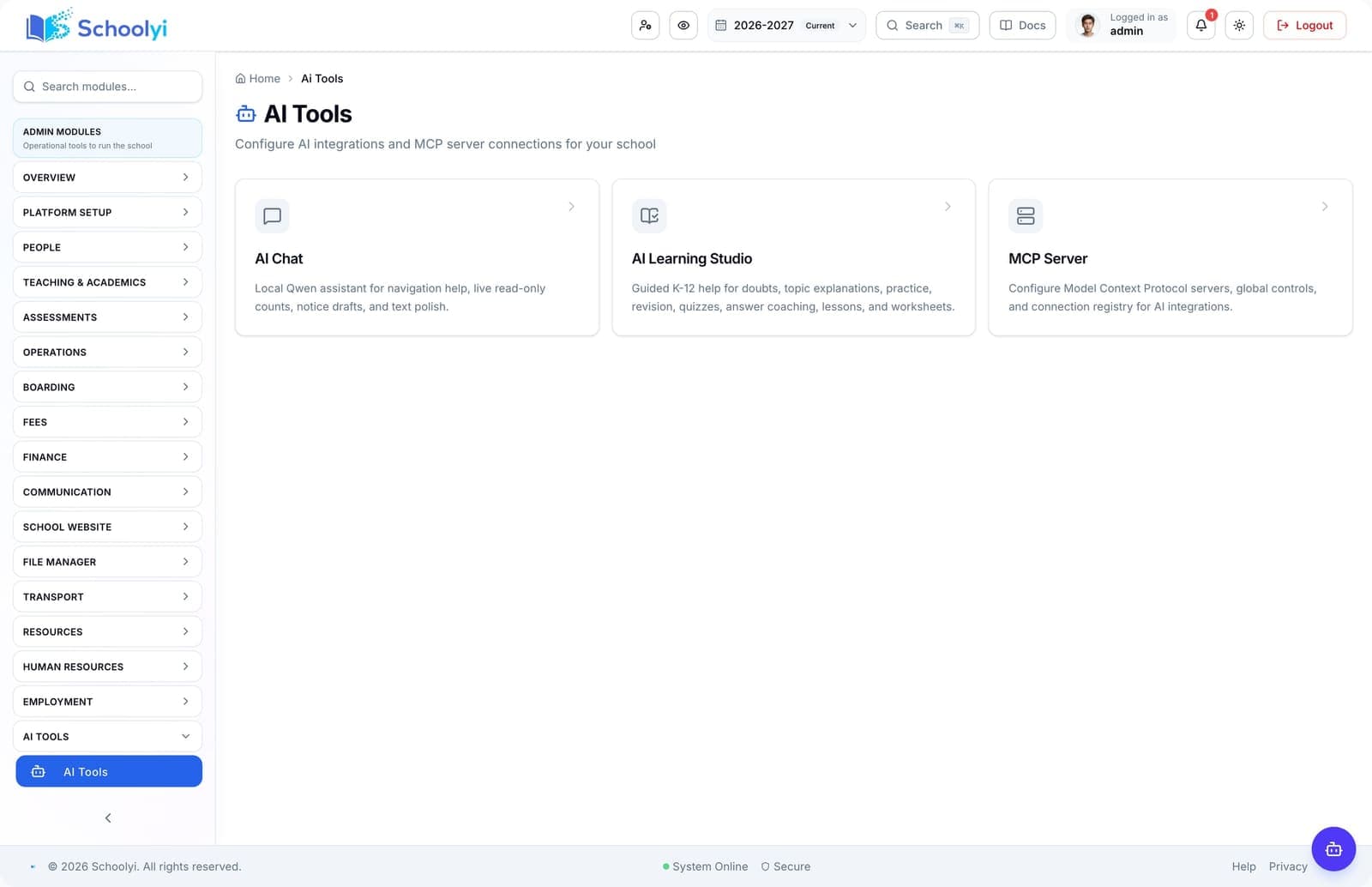
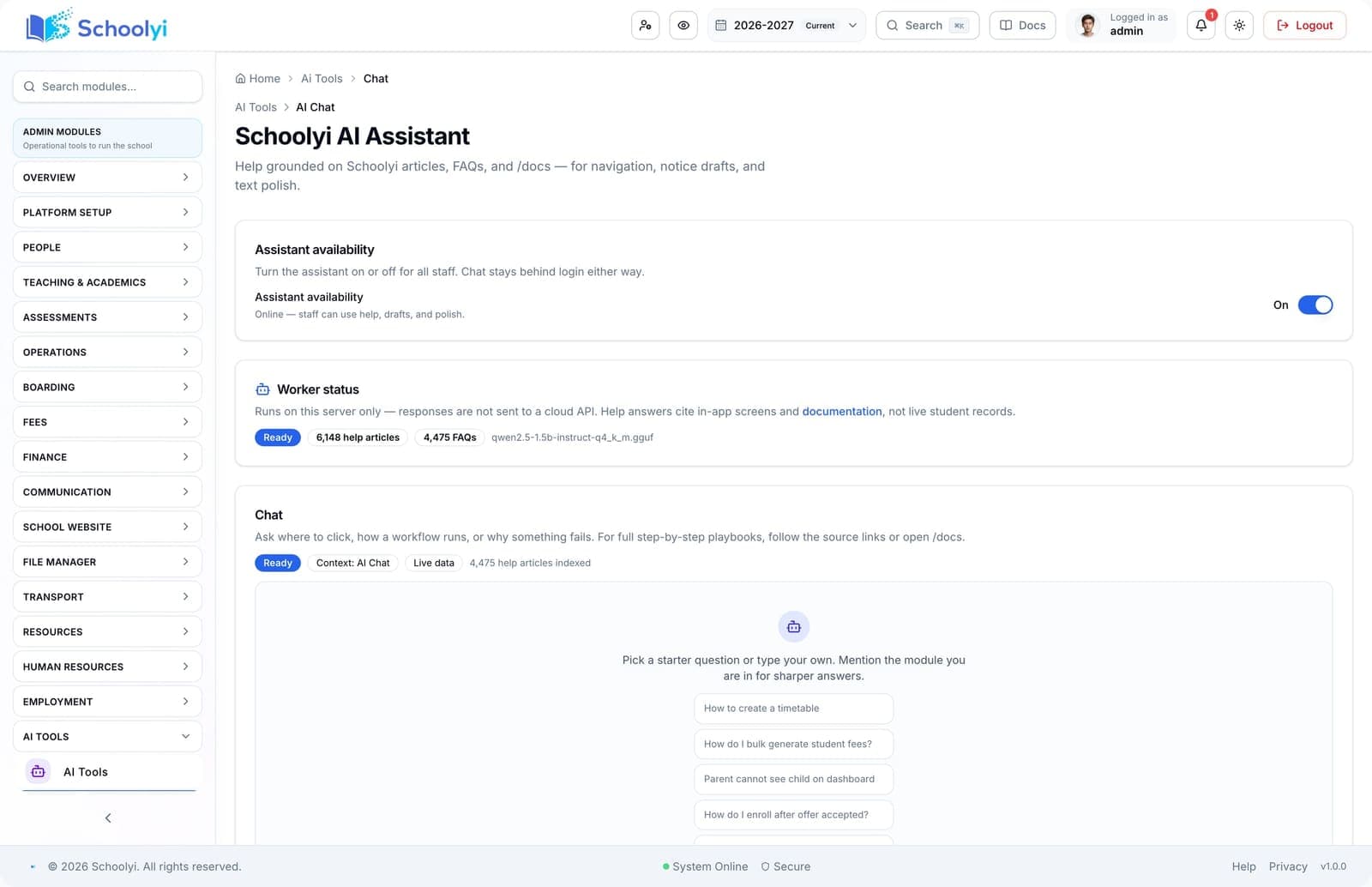
Staff get navigation help, notice drafts, and text polish from a local AI worker on your server — not a generic cloud chatbot. Optional MCP registry connects approved external tools with role gates and audit. Schoolyi AI is designed for operators, not hype. The in-app assistant answers how-to questions from your help knowledge base, drafts short notices, and polishes text without sending student PII to a public API. Platform admins can register MCP servers for approved integrations while keeping processing on infrastructure you control.


Staff using AI-assisted school software on a laptop

Outcomes

What changes when this module is live

Practical results schools report after rolling out this area on the shared calendar and roster.

  • Floating assistant and full AI chat workspace

    Teachers find screens faster without opening a separate support queue

  • Help, draft-notice, and polish modes

    Notice drafts start from school tone, not blank pages

  • Local SmolLM2 worker — no cloud LLM required

    Processing stays on your server for sensitive environments

  • MCP server registry with transport and role controls

    MCP gives a governed path to extend AI without shadow IT

Key capabilities

Everything included in this module, from daily workflows to exports your team relies on.

  • Floating assistant and full AI chat workspace
  • Help, draft-notice, and polish modes
  • Local SmolLM2 worker — no cloud LLM required
  • MCP server registry with transport and role controls
  • Public Ask Schoolyi tool for prospects
  • Security overview for data handling policies

Who uses this

Role-scoped workspaces so each team sees only the tasks they own.

  • Teachers
  • Office staff
  • Platform admins

Workflow

How teams run it week to week

A typical path from setup through daily use on Schoolyi.

  1. 01

    Floating assistant and full AI chat workspace

    Part of the AI assistant & tools workflow on Schoolyi, connected to roster, calendar, and role permissions.

  2. 02

    Help, draft-notice, and polish modes

    Part of the AI assistant & tools workflow on Schoolyi, connected to roster, calendar, and role permissions.

  3. 03

    Local SmolLM2 worker — no cloud LLM required

    Part of the AI assistant & tools workflow on Schoolyi, connected to roster, calendar, and role permissions.

  4. 04

    MCP server registry with transport and role controls

    Part of the AI assistant & tools workflow on Schoolyi, connected to roster, calendar, and role permissions.

Deep dive

Built for school operations, not generic ERP

Long-form context for evaluators comparing modules during an SMS rollout.

Staff using AI-assisted school software on a laptop

Why schools upgrade ai assistant & tools

Schoolyi AI is designed for operators, not hype. The in-app assistant answers how-to questions from your help knowledge base, drafts short notices, and polishes text without sending student PII to a public API. Platform admins can register MCP servers for approved integrations while keeping processing on infrastructure you control.

School principal in office

Connected to the rest of your SMS

Staff get navigation help, notice drafts, and text polish from a local AI worker on your server — not a generic cloud chatbot. Optional MCP registry connects approved external tools with role gates and audit. Because AI assistant & tools shares roster and calendar data, teams stop reconciling exports between spreadsheets and the parent portal.

Questions, answered

Straightforward answers for visitors evaluating the product.

Who typically owns AI assistant & tools day to day?+

Teachers, Office staff, Platform admins run daily workflows in this module while leadership reviews dashboards and exports when needed.

How does AI assistant & tools connect to the academic calendar?+

Dates, working days, and class structure flow from the shared calendar so downstream modules do not maintain parallel date lists.

Can we phase this module after go-live?+

Schools often launch admissions, roster, and fees first, then add this module when the foundation data is stable.

Is training required for every role?+

Role-scoped workspaces show only the tasks each team needs. Most schools run a short coordinator session plus self-serve docs.

Students walking together on a school campus

See AI assistant & tools in a live walkthrough

We'll show how this module fits your school's workflows and which teams benefit first.

Already using Schoolyi? Sign in