
Schoolyi

Public pages, events, news, and gallery at /myschool

School website CMS

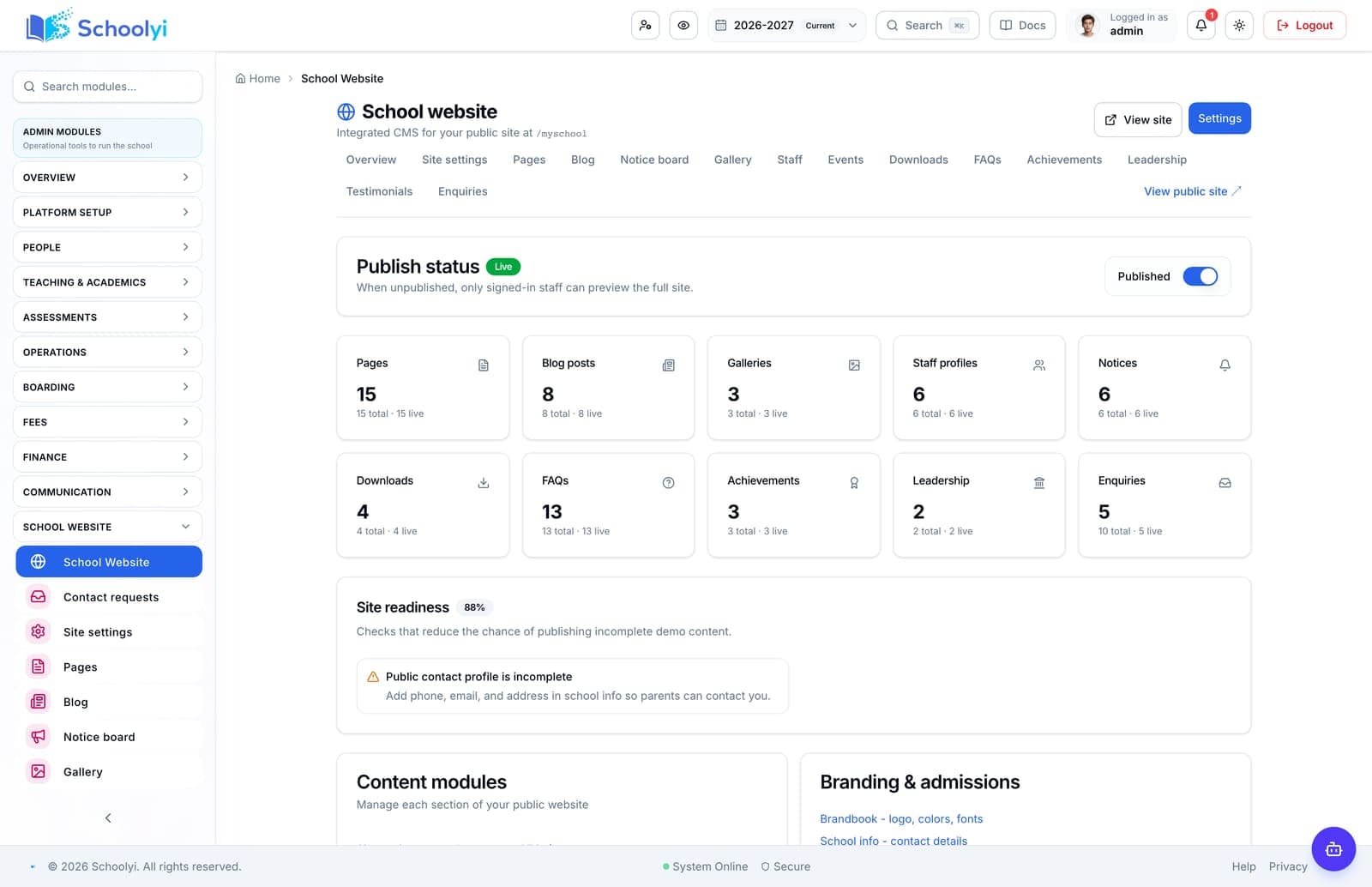
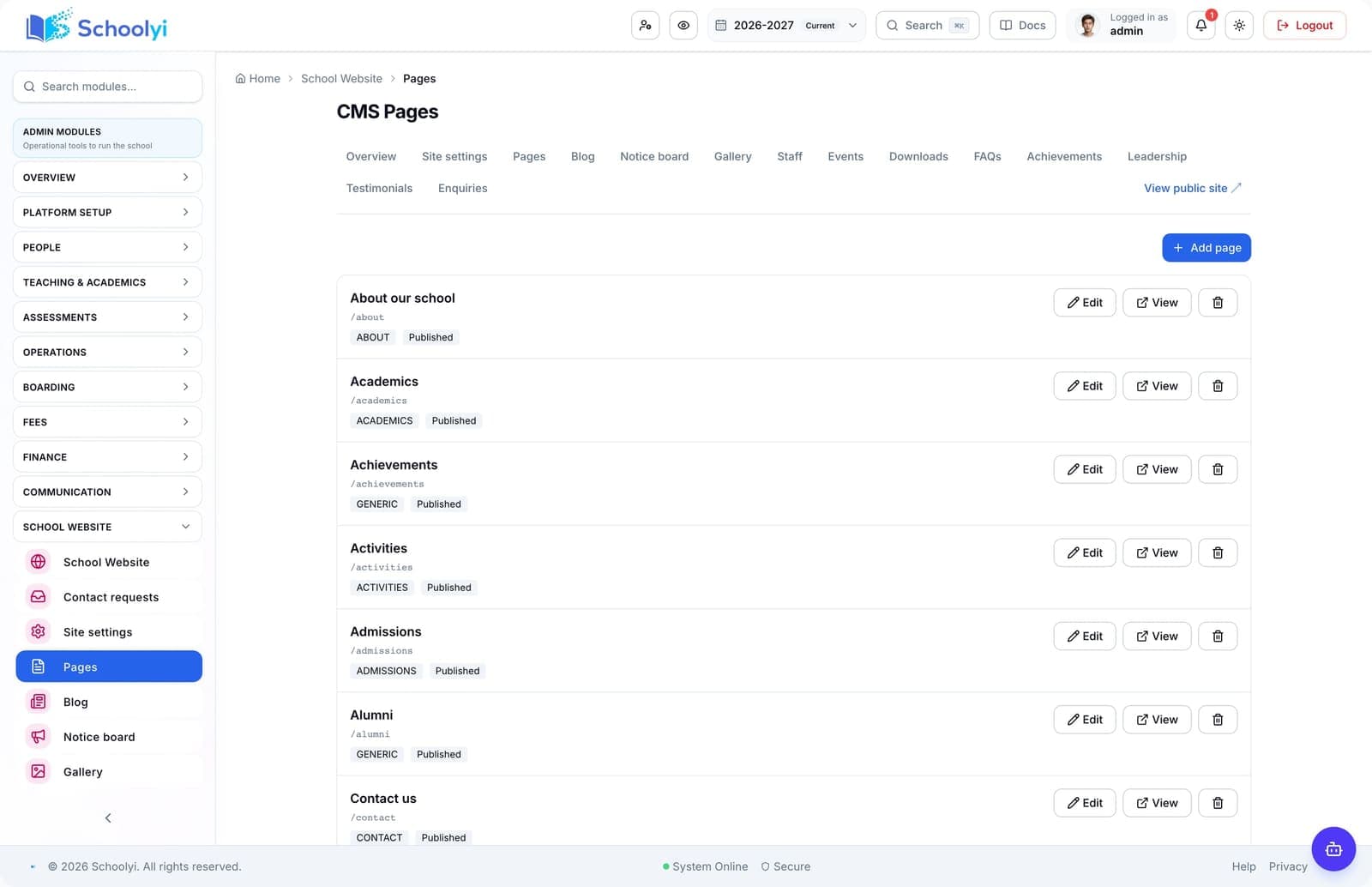
Publish a branded school website without a separate CMS. Staff edit pages, events, blogs, gallery, downloads, and staff directory from the logged-in workspace. Families often discover your school online before they apply. Schoolyi includes a public site at /myschool so marketing and admissions teams publish news, events, and downloadable forms from the same system they use daily — no duplicate content entry.

School staff sending notices and announcements

Outcomes

What changes when school website cms is live

Practical results schools report after rolling out school website cms inside communication & portals.

  • Custom pages with rich text and media

    One team maintains website and operational records

  • Events and news with publish scheduling

    Events on the public site align with the academic calendar

  • Photo gallery and downloadable files

    Prospective families browse before booking a campus visit

  • Staff directory synced from roster

    No separate hosting contract for a basic school site

Key capabilities

Everything included in this capability, from daily workflows to exports your team relies on.

  • Custom pages with rich text and media
  • Events and news with publish scheduling
  • Photo gallery and downloadable files
  • Staff directory synced from roster
  • FAQs and contact blocks for prospective families
  • Role-gated CMS editor workspace

Who uses this

Role-scoped workspaces so each team sees only the tasks they own.

  • Marketing staff
  • Admissions office
  • Platform admins

Full module

Communication & portals

Internal messaging, channel conversations, in-app notifications, and dashboards tailored to staff, teachers, parents, and students, so announcements land where people already work, not in yet another inbox.

Explore Communication & portals

Workflow

How teams run school website cms week to week

A typical path from setup through daily use on Schoolyi.

  1. 01

    Custom pages with rich text and media

    Part of the School website CMS workflow on Schoolyi, connected to roster, calendar, and role permissions.

  2. 02

    Events and news with publish scheduling

    Part of the School website CMS workflow on Schoolyi, connected to roster, calendar, and role permissions.

  3. 03

    Photo gallery and downloadable files

    Part of the School website CMS workflow on Schoolyi, connected to roster, calendar, and role permissions.

  4. 04

    Staff directory synced from roster

    Part of the School website CMS workflow on Schoolyi, connected to roster, calendar, and role permissions.

Deep dive

Built for school operations, not generic ERP

Long-form context for evaluators comparing capabilities during an SMS rollout.

School staff sending notices and announcements

Why schools upgrade school website cms

Families often discover your school online before they apply. Schoolyi includes a public site at /myschool so marketing and admissions teams publish news, events, and downloadable forms from the same system they use daily — no duplicate content entry.

School principal reviewing reports in a modern office

Connected to communication & portals

Publish a branded school website without a separate CMS. Staff edit pages, events, blogs, gallery, downloads, and staff directory from the logged-in workspace. Because school website cms lives inside communication & portals on Schoolyi, teams stop reconciling exports between spreadsheets and the parent portal.

Related capabilities

These areas work closely with school website cms inside communication & portals.

Questions, answered

Straightforward answers for visitors evaluating the product.

Who typically runs school website cms day to day?+

Marketing staff, Admissions office, Platform admins own daily workflows while communication & portals coordinators review setup and exports when needed.

How does school website cms connect to the academic calendar?+

Publish a branded school website without a separate CMS. Staff edit pages, events, blogs, gallery, downloads, and staff directory from the logged-in workspace. Because it shares roster and calendar data with communication & portals, teams do not maintain parallel date lists or exports.

Can we roll out school website cms after go-live?+

Yes. Schools often launch communication & portals foundation data first, then enable school website cms when coordinators are ready.

Is training required for every role?+

Role-scoped workspaces show only the tasks each team needs for school website cms. Most schools run a short coordinator session plus self-serve operator guides.

Students walking together across a school campus at sunset

See School website CMS in a live walkthrough

We'll show how school website cms fits your school's communication & portals workflows and which teams benefit first.

Already using Schoolyi? Sign in