
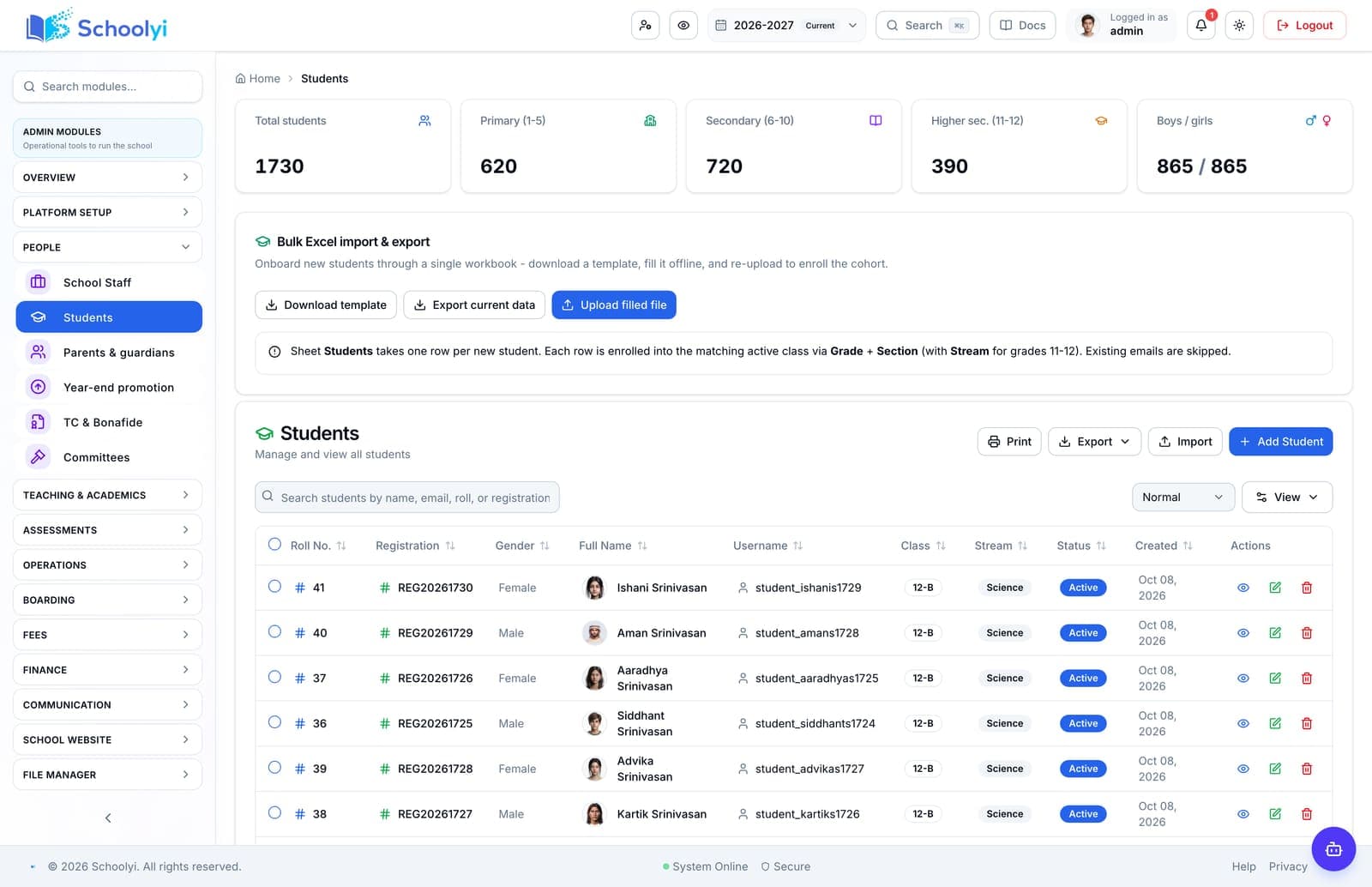
Why schools upgrade student roster
Student records are the spine of your SMS. Schoolyi keeps roster data current so admissions enrollment, fee accounts, transport routes, and classrooms always reference the same child without duplicate entry.
Profiles, class placement, promotion, and certificates
Maintain the student register with photos, siblings, class transfers, year-end promotion, and certificate generation, the hub every other module references. Student records are the spine of your SMS. Schoolyi keeps roster data current so admissions enrollment, fee accounts, transport routes, and classrooms always reference the same child without duplicate entry.

Outcomes
Practical results schools report after rolling out student roster inside students & families.
Admissions enrollment flows straight into live records
Finance bills the correct student from day one
Certificates generate from current data, not retyped forms
Teachers always see an up-to-date class list
Product truth
Good school software copy should answer who owns the work, what the handoff produces, and which parts still depend on deployment decisions.
This page describes the supported workflow boundary. Confirm configuration, integrations, data, and policy requirements in a representative pilot before committing to production.
Deep dive
Use these details to turn a product page into an implementation conversation.
Student records are the spine of your SMS. Schoolyi keeps roster data current so admissions enrollment, fee accounts, transport routes, and classrooms always reference the same child without duplicate entry.
Maintain the student register with photos, siblings, class transfers, year-end promotion, and certificate generation, the hub every other module references. Because student roster lives inside students & families on Schoolyi, teams stop reconciling exports between spreadsheets and the parent portal.
Evidence layer
Read the supporting product and implementation material before making a capability claim.
Everything included in this capability, from daily workflows to exports your team relies on.
Role-scoped workspaces so each team sees only the tasks they own.
Full module
Students & families
Keep complete student records, link parents and guardians, issue certificates, and give families a clear portal view of fees, grades, and attendance, all tied to class placement and the active academic year.
Explore Students & familiesWorkflow
A typical path from setup through daily use on Schoolyi.
Part of the Student roster workflow on Schoolyi, connected to roster, calendar, and role permissions.
Part of the Student roster workflow on Schoolyi, connected to roster, calendar, and role permissions.
Part of the Student roster workflow on Schoolyi, connected to roster, calendar, and role permissions.
Part of the Student roster workflow on Schoolyi, connected to roster, calendar, and role permissions.
Deep dive
Long-form context for evaluators comparing capabilities during an SMS rollout.
Student records are the spine of your SMS. Schoolyi keeps roster data current so admissions enrollment, fee accounts, transport routes, and classrooms always reference the same child without duplicate entry.

Maintain the student register with photos, siblings, class transfers, year-end promotion, and certificate generation, the hub every other module references. Because student roster lives inside students & families on Schoolyi, teams stop reconciling exports between spreadsheets and the parent portal.
These areas work closely with student roster inside students & families.
Straightforward answers for visitors evaluating the product.
The roster holds student profiles, photos, guardian links, class placement, transfers, promotions, certificates, and the active academic record.
Test the guardian link and publication boundary with a sample family before inviting the wider parent community. Confirm that each linked child exposes only the records the school intends.
Accepted applicants can move into live student records through the enrollment handoff, avoiding a second manual profile entry.
Pilot one record through application, review, decision, and handoff so the public status and staff queue remain aligned. Include an incomplete-document or declined-offer case before opening the workflow to every intake.
Sibling links connect children under the appropriate family relationships so guardians can use one parent dashboard.
Test the guardian link and publication boundary with a sample family before inviting the wider parent community. Confirm that each linked child exposes only the records the school intends.
Transfer certificates and bonafide documents can be generated in batch from current student data rather than retyped forms.
Pilot one record through application, review, decision, and handoff so the public status and staff queue remain aligned. Include an incomplete-document or declined-offer case before opening the workflow to every intake.

We'll show how student roster fits your school's students & families workflows and which teams benefit first.
Already using Schoolyi? Sign in