
Why schools upgrade expense claims
Petty cash and travel reimbursements often disappear into inboxes. Schoolyi gives staff a structured claim form, routes approvals to line managers, and posts reimbursements finance can track through to payroll.
Submit, approve, and reimburse staff expenses
Staff submit expense claims with receipts, managers approve in workflow, and finance reimburses through payroll or AP, no email thread chasing. Petty cash and travel reimbursements often disappear into inboxes. Schoolyi gives staff a structured claim form, routes approvals to line managers, and posts reimbursements finance can track through to payroll.

Expense claims in Schoolyi
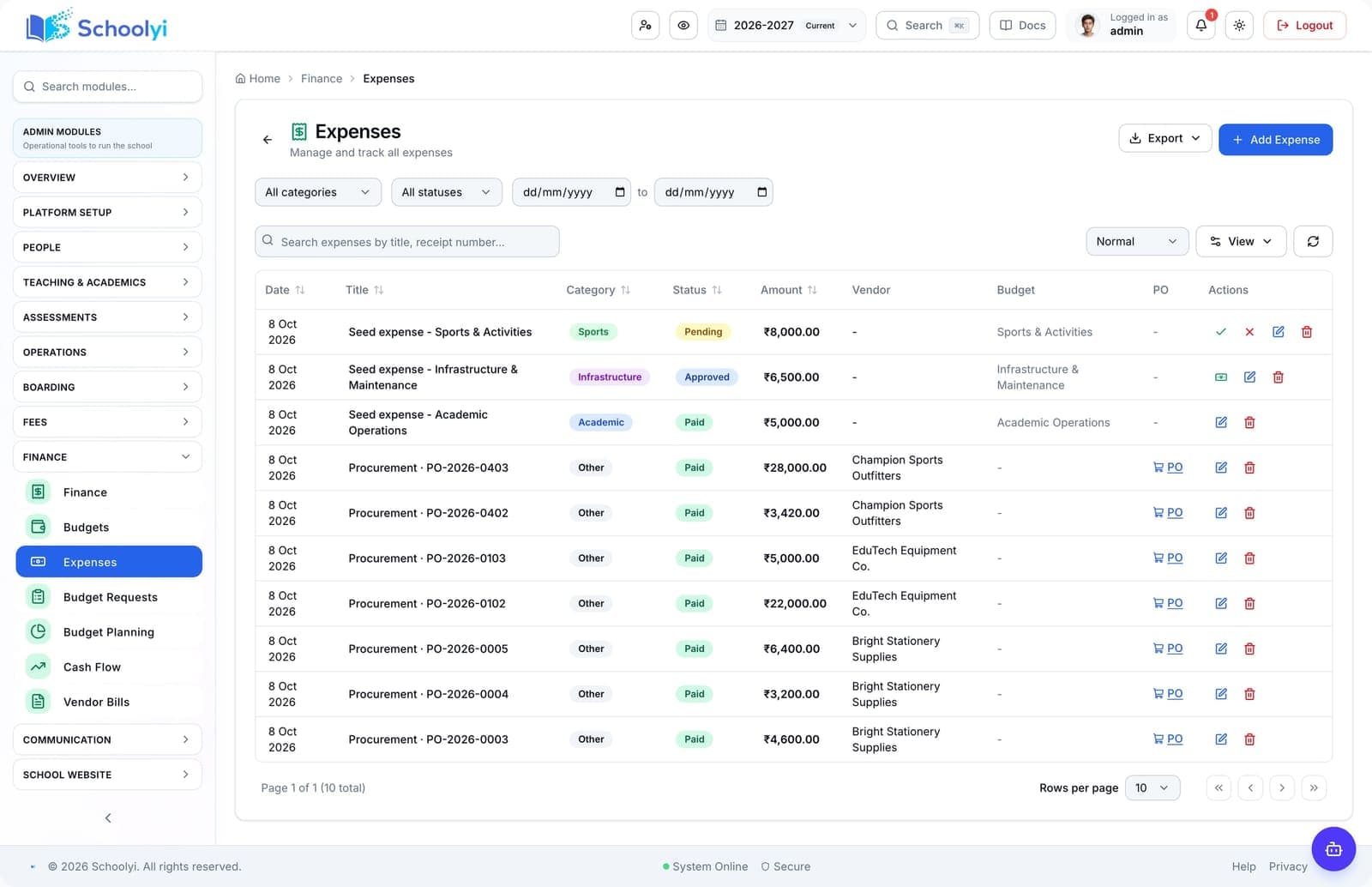
Submit, approve, and reimburse staff expenses. Captured from a demo school so evaluators see the live workspace, not a mock.
Outcomes
Practical results schools report after rolling out expense claims inside hr & employment.
Staff know claim status without chasing HR
Finance sees pending liabilities before month-end
Receipts stay attached for audit review
Reimbursements post cleanly to payroll or AP
Product truth
Good school software copy should answer who owns the work, what the handoff produces, and which parts still depend on deployment decisions.
This page describes the supported workflow boundary. Confirm configuration, integrations, data, and policy requirements in a representative pilot before committing to production.
Deep dive
Use these details to turn a product page into an implementation conversation.
Petty cash and travel reimbursements often disappear into inboxes. Schoolyi gives staff a structured claim form, routes approvals to line managers, and posts reimbursements finance can track through to payroll.
Staff submit expense claims with receipts, managers approve in workflow, and finance reimburses through payroll or AP, no email thread chasing. Because expense claims lives inside hr & employment on Schoolyi, teams stop reconciling exports between spreadsheets and the parent portal.
Evidence layer
Read the supporting product and implementation material before making a capability claim.
Everything included in this capability, from daily workflows to exports your team relies on.
Role-scoped workspaces so each team sees only the tasks they own.
Full module
HR & employment
Post jobs with public apply, onboard hired candidates, run monthly payroll with payslip PDFs, manage salary records, and handle expense claims, with HR and finance working from the same staff picture.
Explore HR & employmentWorkflow
A typical path from setup through daily use on Schoolyi.
Part of the Expense claims workflow on Schoolyi, connected to roster, calendar, and role permissions.
Part of the Expense claims workflow on Schoolyi, connected to roster, calendar, and role permissions.
Part of the Expense claims workflow on Schoolyi, connected to roster, calendar, and role permissions.
Part of the Expense claims workflow on Schoolyi, connected to roster, calendar, and role permissions.
Deep dive
Long-form context for evaluators comparing capabilities during an SMS rollout.
Petty cash and travel reimbursements often disappear into inboxes. Schoolyi gives staff a structured claim form, routes approvals to line managers, and posts reimbursements finance can track through to payroll.

Staff submit expense claims with receipts, managers approve in workflow, and finance reimburses through payroll or AP, no email thread chasing. Because expense claims lives inside hr & employment on Schoolyi, teams stop reconciling exports between spreadsheets and the parent portal.
These areas work closely with expense claims inside hr & employment.
Straightforward answers for visitors evaluating the product.
Staff submit a claim with receipt attachments, category details, and the information a manager needs for approval.
Before the first collection cycle, reconcile one paid, partially paid, and overdue student account so the family receipt and finance view agree. Keep any tax, gateway, refund, or accounting boundary as an explicit deployment decision.
The approval workflow routes claims through the configured manager and finance review steps before reimbursement is posted.
Assign a workflow owner and test it with a representative staff account before the busy part of the term. Verify that approvals, coverage details, and sensitive fields remain within the intended role.
Finance can track reimbursement through payroll or accounts payable, keeping the paid outcome beside the original claim and receipt.
Before the first collection cycle, reconcile one paid, partially paid, and overdue student account so the family receipt and finance view agree. Keep any tax, gateway, refund, or accounting boundary as an explicit deployment decision.
The claim keeps an audit trail from submission to payment, with receipts attached for later finance review.
Record the responsible administrator and verify the control in the target deployment before production data is loaded. Keep the evidence with the school’s procurement or access-review record.

We'll show how expense claims fits your school's hr & employment workflows and which teams benefit first.
Already using Schoolyi? Sign in