

Schoolyi

Create accounts, link children, and invite after enrollment

Parents & guardians

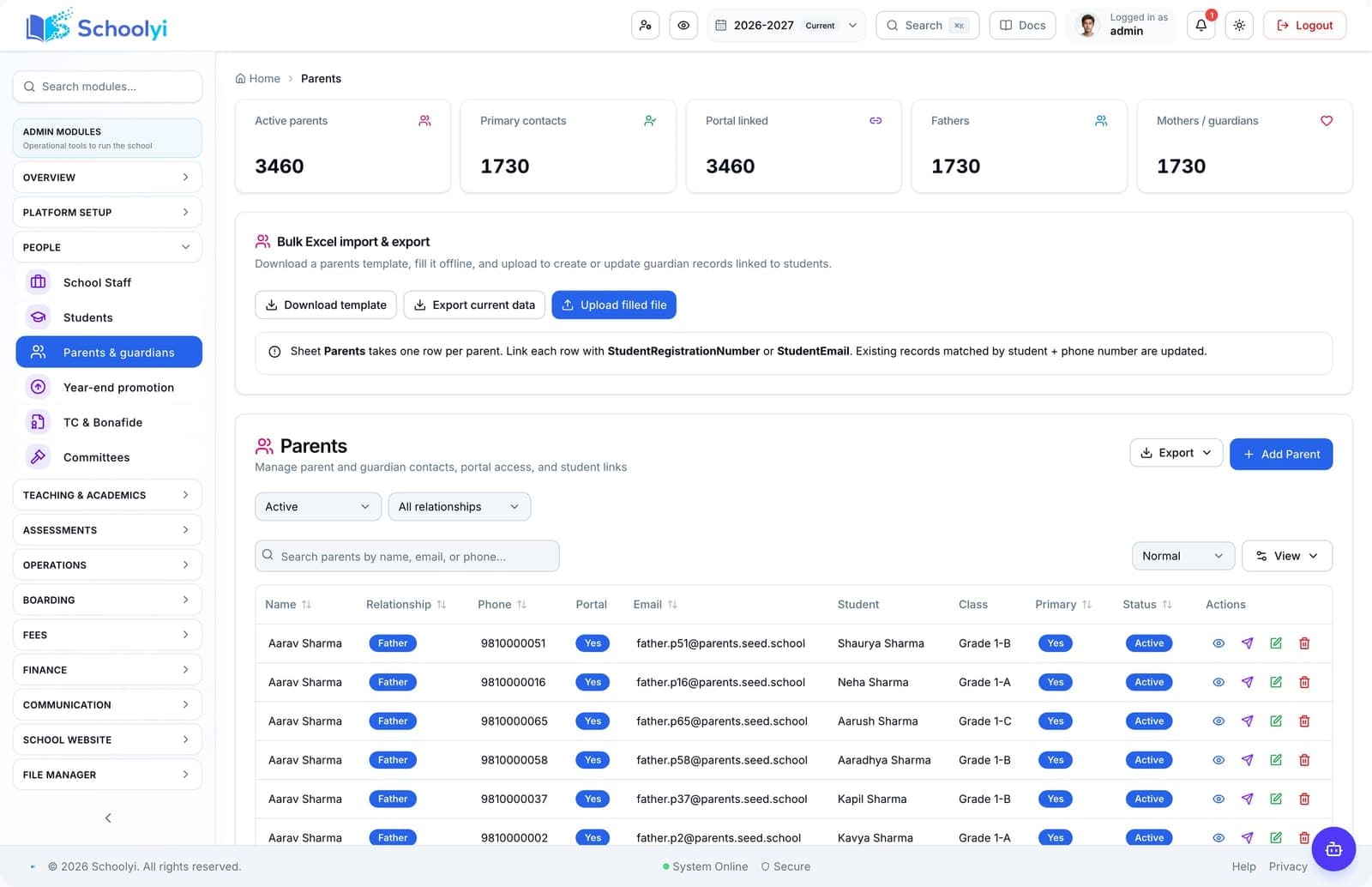
Create parent and guardian users, link them to students, and send magic-link invites after admissions — so families log in once for every child. Parent portal adoption fails when accounts are wrong or missing. Schoolyi links guardians to students during admissions or from the roster, supports multi-child dashboards, and troubleshoots sign-in without exposing student PII in support tickets.


Students in a school corridor representing roster and family records

Outcomes

What changes when parents & guardians is live

Practical results schools report after rolling out parents & guardians inside students & families.

  • Parent and guardian user records

    Families see every child in one parent dashboard

  • Link multiple children to one login

    Admissions enrollment triggers portal invites automatically

  • Auto-invite after admissions enrollment

    Fee and grade views appear per linked student

  • Magic-link and password sign-in options

    Office staff fix linking without IT tickets

Key capabilities

Everything included in this capability, from daily workflows to exports your team relies on.

  • Parent and guardian user records
  • Link multiple children to one login
  • Auto-invite after admissions enrollment
  • Magic-link and password sign-in options
  • Troubleshoot linking from admin workspace
  • Sibling and split-custody guardian support

Who uses this

Role-scoped workspaces so each team sees only the tasks they own.

  • Admissions office
  • Front office
  • Parents

Full module

Students & families

Keep complete student records, link parents and guardians, issue certificates, and give families a clear portal view of fees, grades, and attendance, all tied to class placement and the active academic year.

Explore Students & families

Workflow

How teams run parents & guardians week to week

A typical path from setup through daily use on Schoolyi.

  1. 01

    Parent and guardian user records

    Part of the Parents & guardians workflow on Schoolyi, connected to roster, calendar, and role permissions.

  2. 02

    Link multiple children to one login

    Part of the Parents & guardians workflow on Schoolyi, connected to roster, calendar, and role permissions.

  3. 03

    Auto-invite after admissions enrollment

    Part of the Parents & guardians workflow on Schoolyi, connected to roster, calendar, and role permissions.

  4. 04

    Magic-link and password sign-in options

    Part of the Parents & guardians workflow on Schoolyi, connected to roster, calendar, and role permissions.

Deep dive

Built for school operations, not generic ERP

Long-form context for evaluators comparing capabilities during an SMS rollout.

Students in a school corridor representing roster and family records

Why schools upgrade parents & guardians

Parent portal adoption fails when accounts are wrong or missing. Schoolyi links guardians to students during admissions or from the roster, supports multi-child dashboards, and troubleshoots sign-in without exposing student PII in support tickets.

School principal reviewing reports in a modern office

Connected to students & families

Create parent and guardian users, link them to students, and send magic-link invites after admissions — so families log in once for every child. Because parents & guardians lives inside students & families on Schoolyi, teams stop reconciling exports between spreadsheets and the parent portal.

Related capabilities

These areas work closely with parents & guardians inside students & families.

Questions, answered

Straightforward answers for visitors evaluating the product.

Who typically runs parents & guardians day to day?+

Admissions office, Front office, Parents own daily workflows while students & families coordinators review setup and exports when needed.

How does parents & guardians connect to the academic calendar?+

Create parent and guardian users, link them to students, and send magic-link invites after admissions — so families log in once for every child. Because it shares roster and calendar data with students & families, teams do not maintain parallel date lists or exports.

Can we roll out parents & guardians after go-live?+

Yes. Schools often launch students & families foundation data first, then enable parents & guardians when coordinators are ready.

Is training required for every role?+

Role-scoped workspaces show only the tasks each team needs for parents & guardians. Most schools run a short coordinator session plus self-serve operator guides.

Students walking together across a school campus at sunset

See Parents & guardians in a live walkthrough

We'll show how parents & guardians fits your school's students & families workflows and which teams benefit first.

Already using Schoolyi? Sign in