
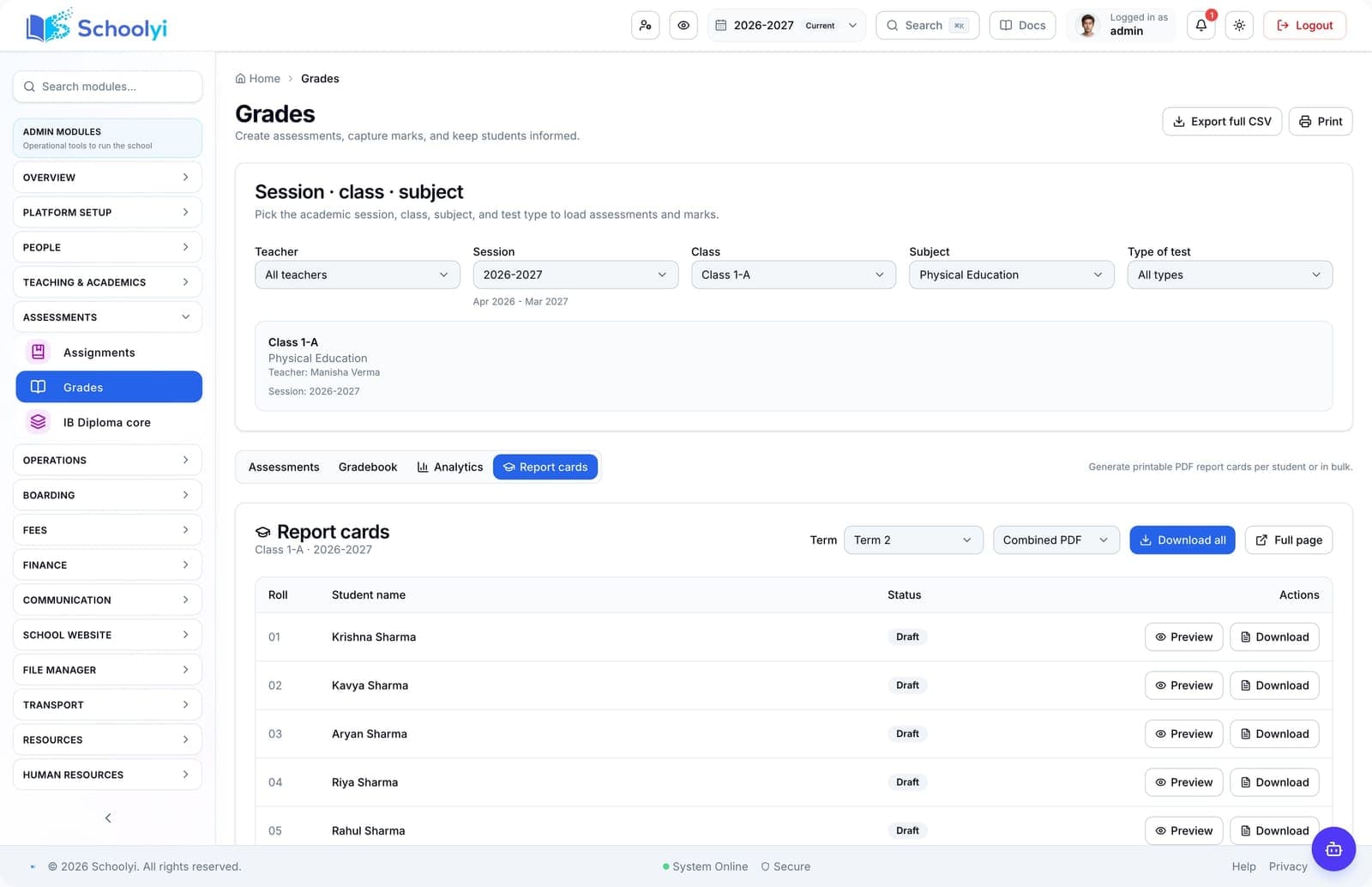
The publish gate
Draft marks remain in staff workflows until the responsible team explicitly releases results.
Workflow journey
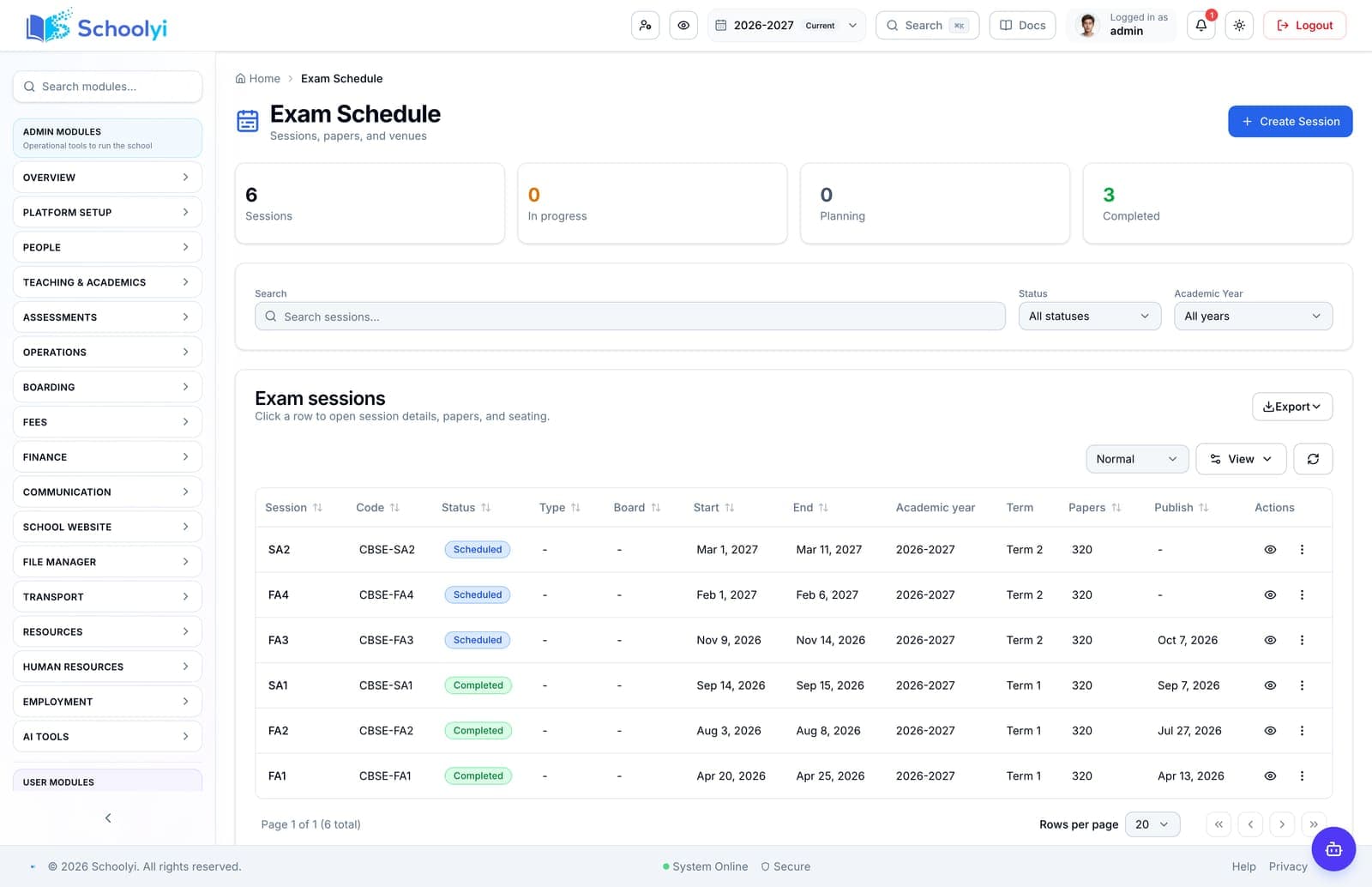
Run an exam cycle from session setup and invigilation through marks, moderation, publish gates, and family-facing report cards. See the workflow, ownership, rollout sequence, and boundaries before choosing a school management platform.

One operating picture for academic, administrative, and family teams.
Product screenshots
Captured from a demo school, at a size search engines can fetch. Open the module for the rest of the workflow.
At a glance
Run an exam cycle from session setup and invigilation through marks, moderation, publish gates, and family-facing report cards.
Use the linked product and documentation pages to validate the workflow against your school’s data, roles, policies, and deployment.
Read the supporting materialHow it works
A clear sequence makes ownership, exceptions, and the next system action visible.
Create the session, papers, venues, invigilation assignments, and key dates.
Use hall tickets, seating, roll-call, and incident workflows on exam days.
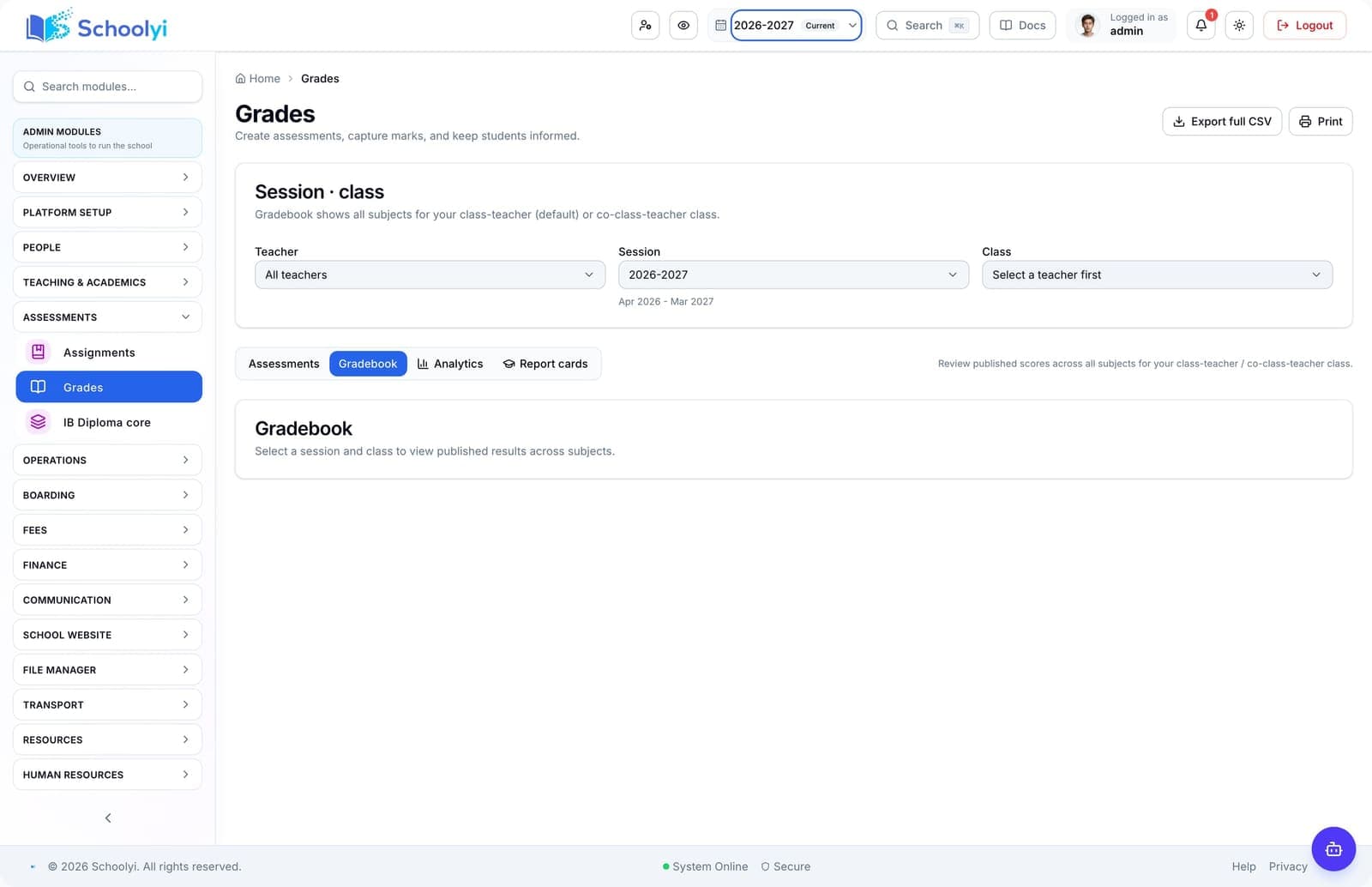
Teachers and markers enter results within their assigned scope for moderation.
Controllers release approved results and generate report card PDFs for portals.
Product truth
Good school software copy should answer who owns the work, what the handoff produces, and which parts still depend on deployment decisions.
This page describes the supported workflow boundary. Confirm configuration, integrations, data, and policy requirements in a representative pilot before committing to production.
Deep dive
Use these details to turn a product page into an implementation conversation.
Draft marks remain in staff workflows until the responsible team explicitly releases results.
Run a small test session with sample students, a paper, a venue, marks, and one report card before the first live exam.
Evidence layer
Read the supporting product and implementation material before making a capability claim.
Straightforward answers for visitors evaluating the product.
The intended workflow keeps marks private until the configured publish action releases them.
Test the guardian link and publication boundary with a sample family before inviting the wider parent community. Confirm that each linked child exposes only the records the school intends.
Revaluation is part of the broader exam workflow; confirm the required board-specific policy before launch.
Run a representative class through draft, review, and publish states before relying on the output for a reporting deadline. Check which role owns corrections after the result becomes visible to families.
Continue exploring
Follow the next link based on the question your team needs to answer.
Spreadsheets vs Schoolyi for school operations
Compare flexible sheets with a role-scoped system that keeps calendar, roster, approvals, and publication rules connected.
Read the pageExam results publishing checklist
Prepare exam data, permissions, moderation, report-card templates, and family communication before results release day.
Read the page
We can walk through the workflow with your school’s roles, calendar, data, and first-term priorities.
Already using Schoolyi? Sign in