
Avoid category theatre
“ERP” can describe a finance-first product while “SIS” can describe a roster-first product; neither proves the handoffs are connected.
Buyer comparison
Understand where finance, HR, and procurement meet student records, academic workflows, and family-facing operations. See the workflow, ownership, rollout sequence, and boundaries before choosing a school management platform.

Scope enrollment, modules, and implementation with the people who own the budget.
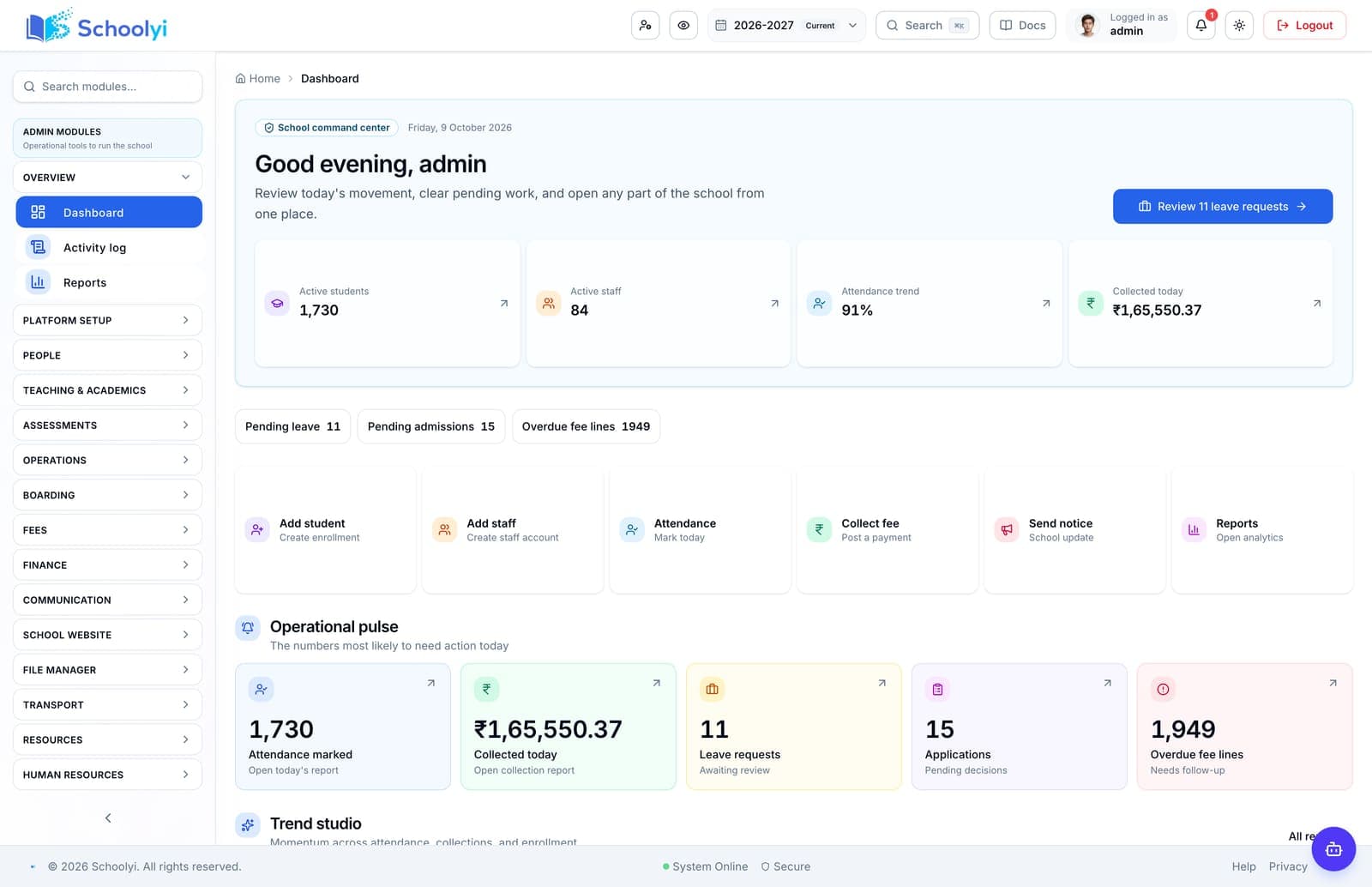
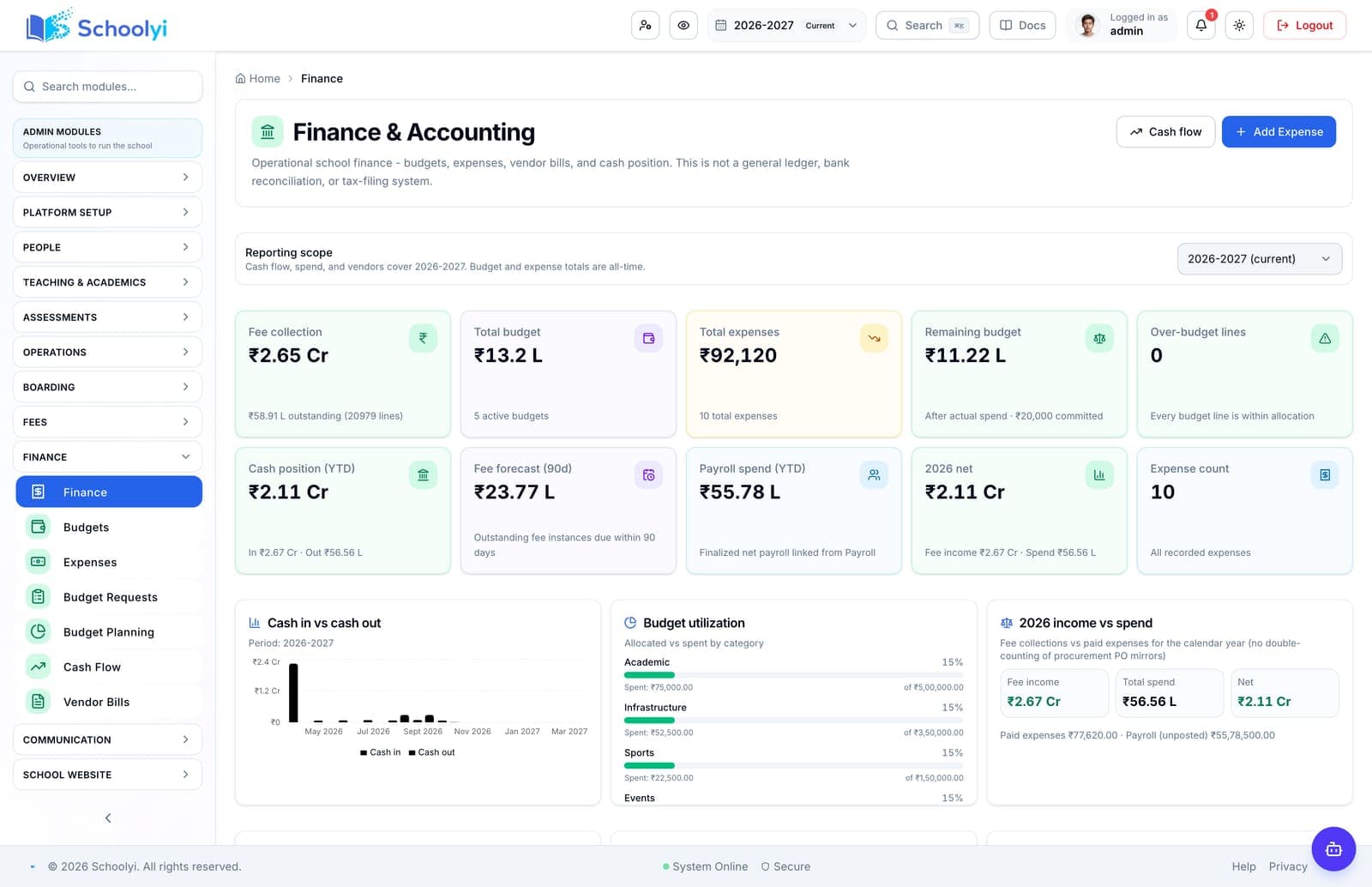
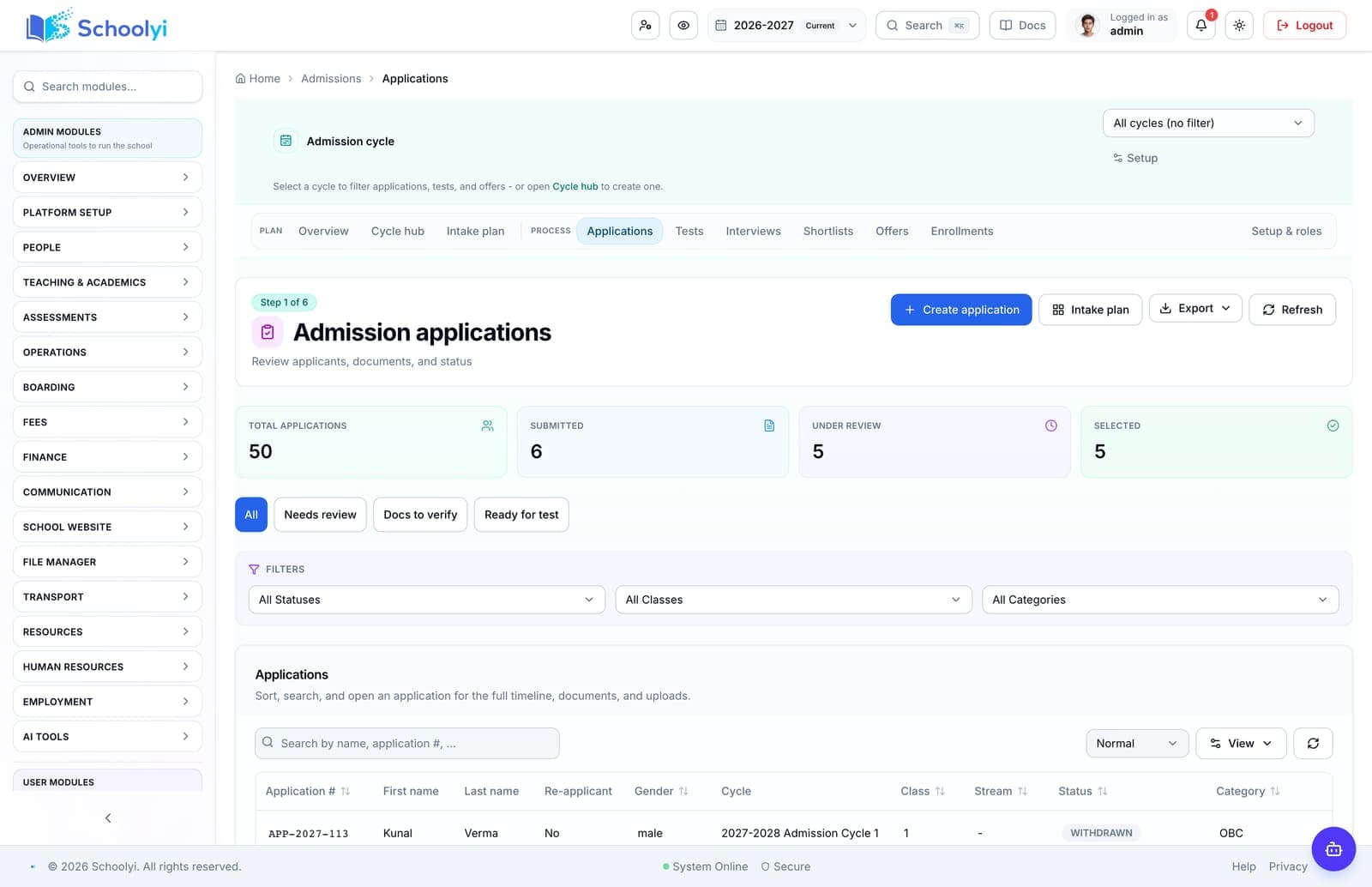
Product screenshots
Captured from a demo school, at a size search engines can fetch. Open the module for the rest of the workflow.
At a glance
Understand where finance, HR, and procurement meet student records, academic workflows, and family-facing operations.
Use the linked product and documentation pages to validate the workflow against your school’s data, roles, policies, and deployment.
Read the supporting materialHow it works
A clear sequence makes ownership, exceptions, and the next system action visible.
List academic, student, finance, HR, and operations processes before comparing vendor labels.
Check whether staff, students, vendors, and fee lines retain reliable identities across modules.
Test permissions, approvals, publishing, exports, and audit expectations.
Select the foundation and the first operational module that will create visible value.
Evaluation framework
A fair comparison tests operating foundations before it scores optional features.
This is a category-level buying guide, not a claim about a named competitor. Confirm current capabilities, pricing, integrations, and support commitments in a dated vendor demonstration and proposal.
| Checkpoint | Question to ask |
|---|---|
| Data ownership | Which team owns the authoritative record? |
| Calendar model | Do dates and working days flow through every workflow? |
| Permissions | Can each role view and publish only what it owns? |
| Rollout evidence | What can the vendor demonstrate with your real handoffs? |
Product truth
Good school software copy should answer who owns the work, what the handoff produces, and which parts still depend on deployment decisions.
This page describes the supported workflow boundary. Confirm configuration, integrations, data, and policy requirements in a representative pilot before committing to production.
Deep dive
Use these details to turn a product page into an implementation conversation.
“ERP” can describe a finance-first product while “SIS” can describe a roster-first product; neither proves the handoffs are connected.
Schoolyi combines school operations and finance context, but buyers should validate full accounting, statutory, and enterprise requirements.
Ask each vendor to show one accepted applicant, one fee instance, one published result, and one staff action. The same identifiers and permissions should survive the journey.
Evidence layer
Read the supporting product and implementation material before making a capability claim.
Straightforward answers for visitors evaluating the product.
Usually in module count, but breadth can increase integration work. Evaluate the workflows your school actually needs.
Validate credentials, permissions, and failure handling in a non-production environment before connecting live school records. Assign an owner for monitoring the handoff after launch.
Use a single student journey plus one vendor bill and one staff payroll or leave scenario.
Before the first collection cycle, reconcile one paid, partially paid, and overdue student account so the family receipt and finance view agree. Keep any tax, gateway, refund, or accounting boundary as an explicit deployment decision.
No. Confirm which records are shared, which exports remain, who owns configuration, and where the school still needs another system.
Treat that boundary as an explicit procurement or deployment decision. Document the responsible owner and any supporting process before rollout.
Continue exploring
Follow the next link based on the question your team needs to answer.
Generic ERP vs school platform
Compare generic finance-first ERP implementation with a school platform built around academic years, rosters, families, and publishing.
Read the pageSchool finance software for bursars and finance teams
Connect fee structures, collections, receipts, budgets, vendor bills, payroll, and leadership reporting in one operating context.
Read the page
We can walk through the workflow with your school’s roles, calendar, data, and first-term priorities.
Already using Schoolyi? Sign in