
The metric that matters
Measure time from complete application to decision and from accepted offer to enrolled record.
For admissions teams
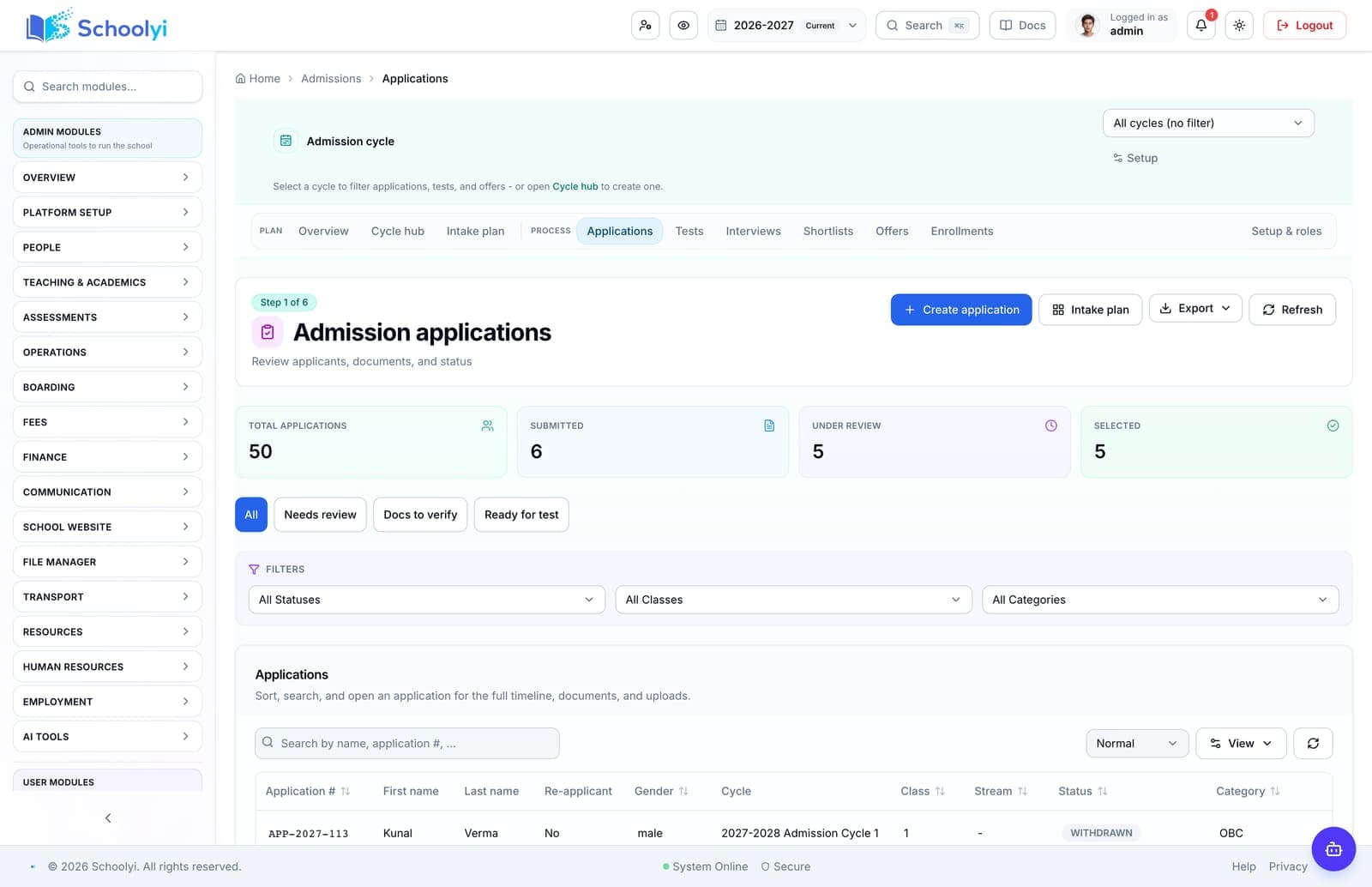
Replace inquiry spreadsheets with a visible pipeline from application and document collection to offer and enrollment. See the workflow, ownership, rollout sequence, and boundaries before choosing a school management platform.

Dashboards, approvals, and cross-department visibility.
Product screenshots
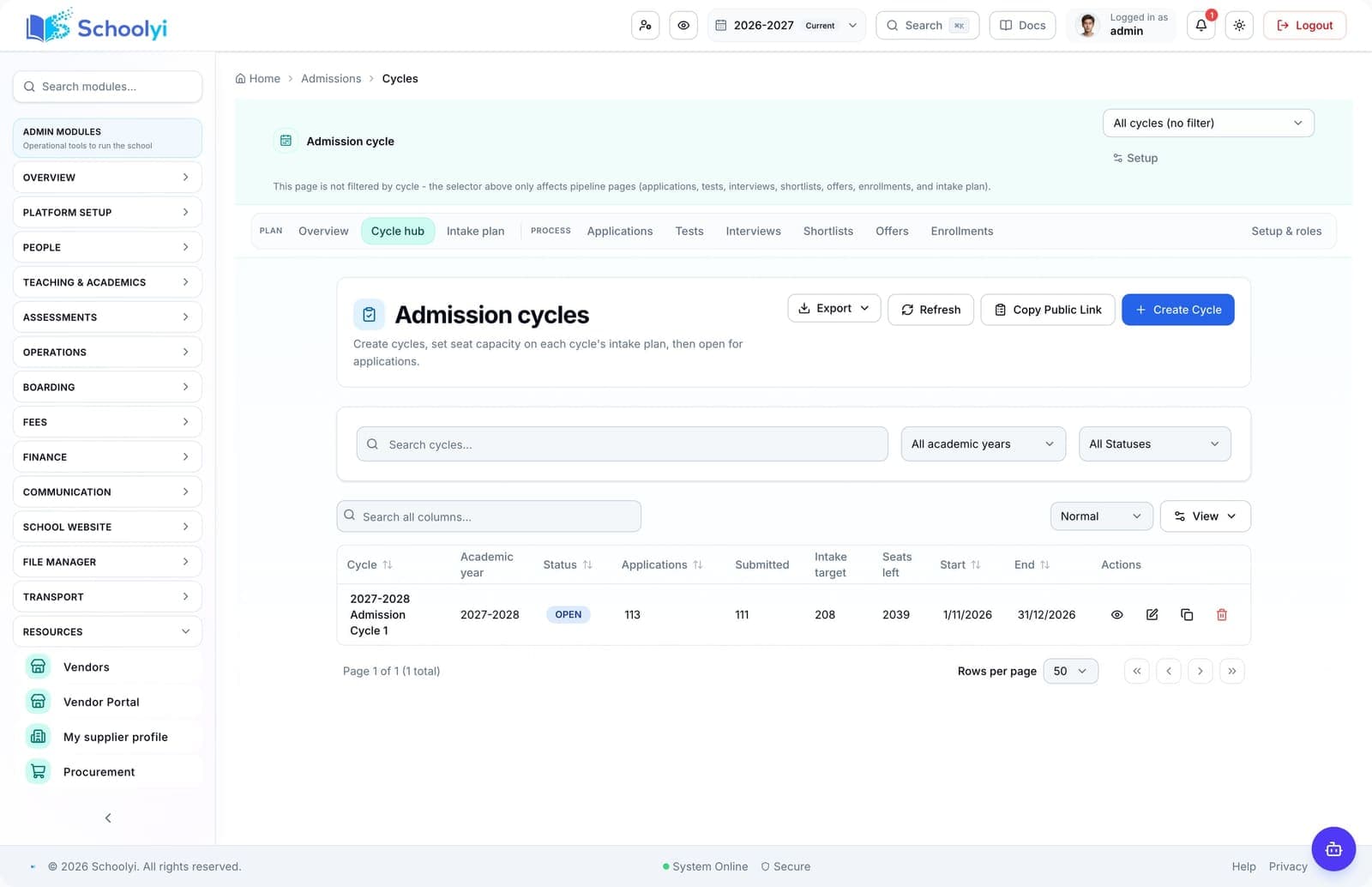
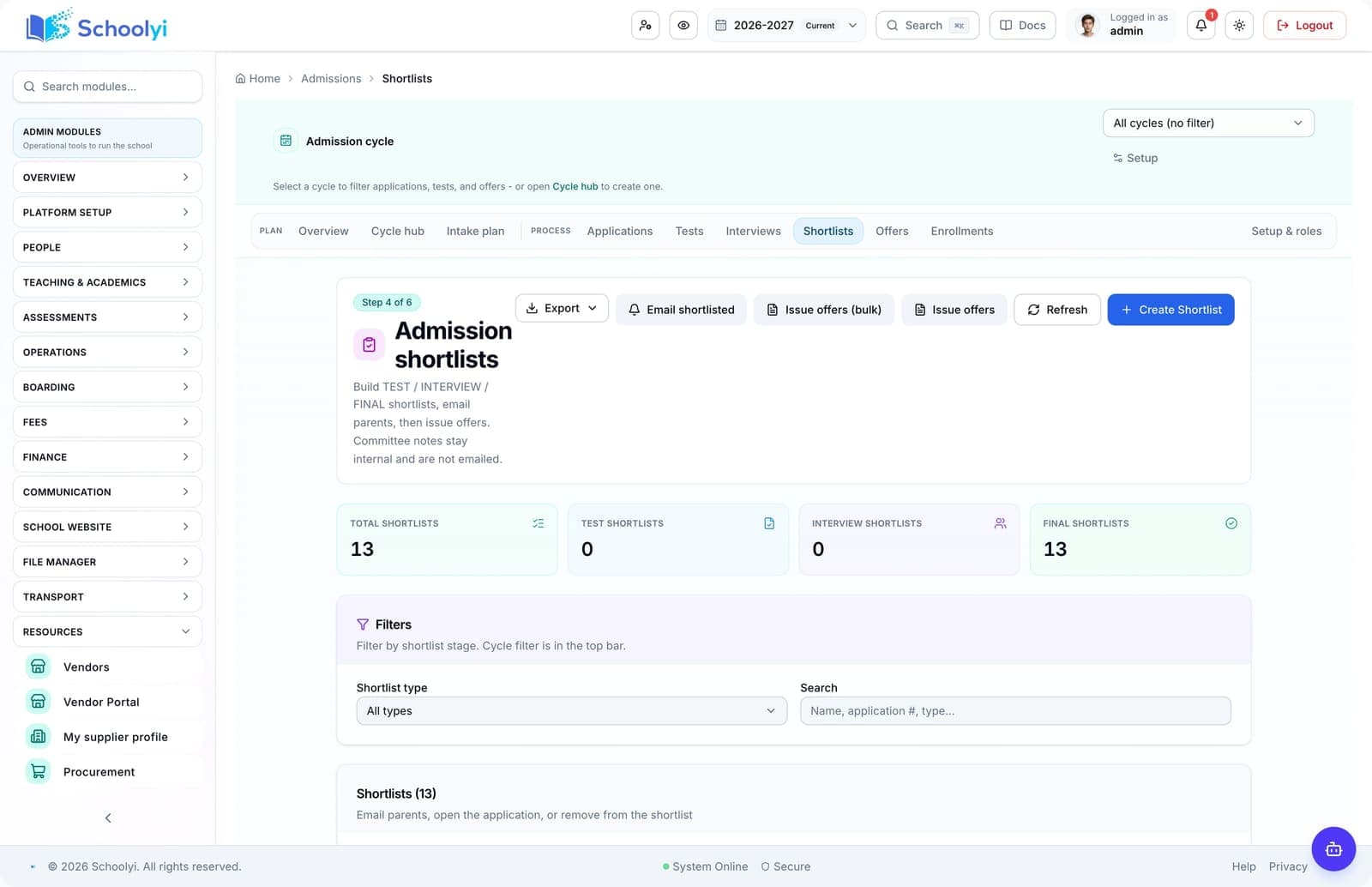
Captured from a demo school, at a size search engines can fetch. Open the module for the rest of the workflow.
At a glance
Replace inquiry spreadsheets with a visible pipeline from application and document collection to offer and enrollment.
Use the linked product and documentation pages to validate the workflow against your school’s data, roles, policies, and deployment.
Read the supporting materialHow it works
A clear sequence makes ownership, exceptions, and the next system action visible.
Set the cycle, form, capacity, documents, and committee responsibilities.
Review applications, schedule assessments, and keep incomplete records visible.
Give applicants a track page and send consistent offer or follow-up messages.
Enroll accepted students into the roster and confirm the next finance and class-placement step.
Product truth
Good school software copy should answer who owns the work, what the handoff produces, and which parts still depend on deployment decisions.
This page describes the supported workflow boundary. Confirm configuration, integrations, data, and policy requirements in a representative pilot before committing to production.
Deep dive
Use these details to turn a product page into an implementation conversation.
Measure time from complete application to decision and from accepted offer to enrolled record.
Admissions staff need applicant access without inheriting finance or unrelated student-record administration.
Define who resolves incomplete documents, duplicate candidates, capacity decisions, and post-offer questions before the first intake opens.
Evidence layer
Read the supporting product and implementation material before making a capability claim.
Straightforward answers for visitors evaluating the product.
Use role-scoped access and an explicit review state so the committee can coordinate without exposing unrelated records.
Pilot one record through application, review, decision, and handoff so the public status and staff queue remain aligned. Include an incomplete-document or declined-offer case before opening the workflow to every intake.
The public application and tracking experience is designed for families before full enrollment.
Pilot one record through application, review, decision, and handoff so the public status and staff queue remain aligned. Include an incomplete-document or declined-offer case before opening the workflow to every intake.
Submit one application, verify a document, record a decision, issue an offer, and confirm the enrolled student reaches the roster without re-entry.
Pilot one record through application, review, decision, and handoff so the public status and staff queue remain aligned. Include an incomplete-document or declined-offer case before opening the workflow to every intake.
Continue exploring
Follow the next link based on the question your team needs to answer.
Admissions to enrollment
Move an applicant from public application through review, offer acceptance, and live student enrollment without retyping the record.
Read the pageSchool data migration and deduplication
Move student, guardian, class, fee, and staff data into a clean operating model before inviting the whole school.
Read the page
We can walk through the workflow with your school’s roles, calendar, data, and first-term priorities.
Already using Schoolyi? Sign in