
Never skip the pilot
A small, representative cohort reveals mapping and permission problems while recovery is still simple.
Implementation guide
Move student, guardian, class, fee, and staff data into a clean operating model before inviting the whole school. See the workflow, ownership, rollout sequence, and boundaries before choosing a school management platform.

Match modules to your board, size, and priorities.
Product screenshots
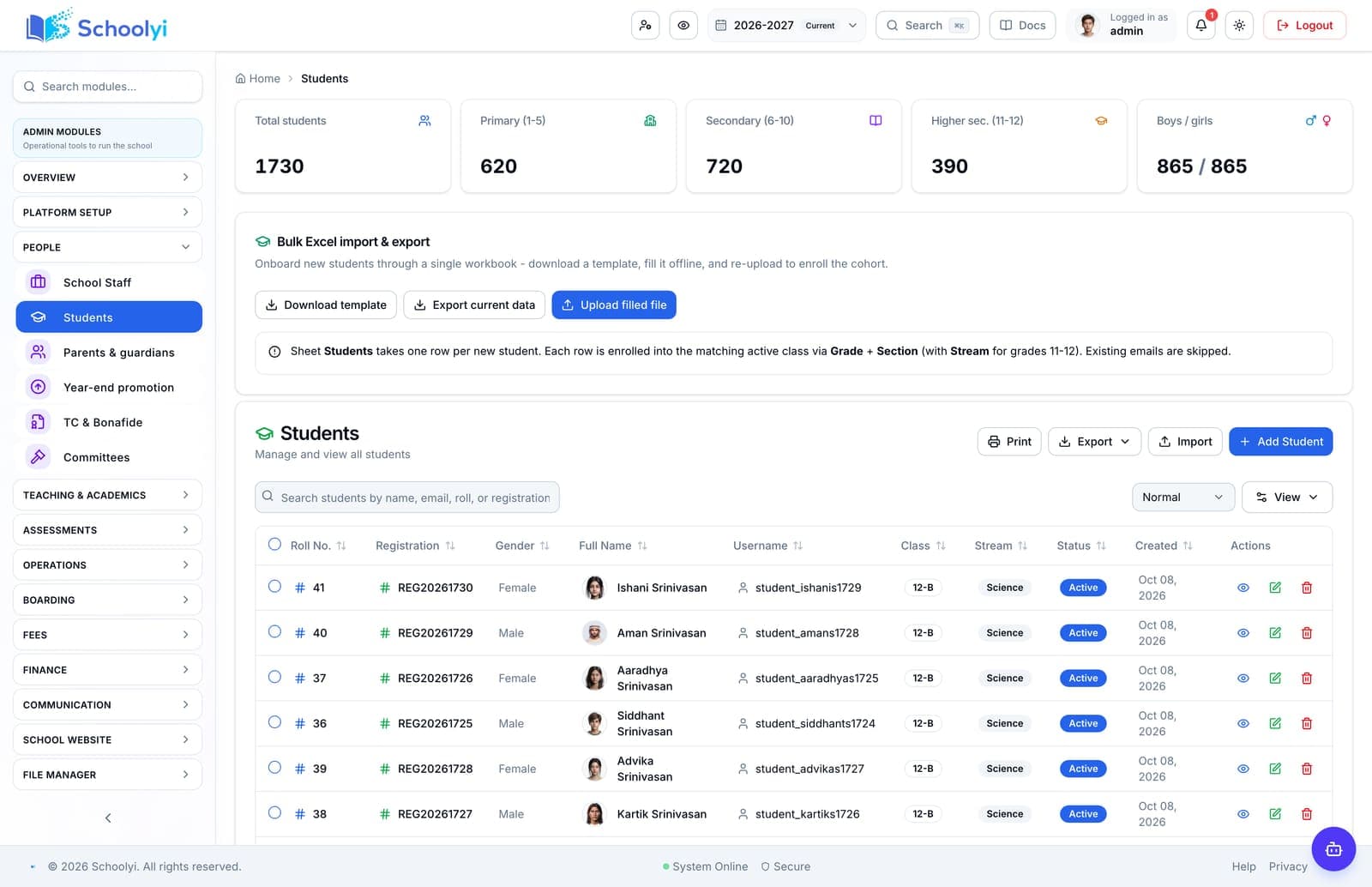
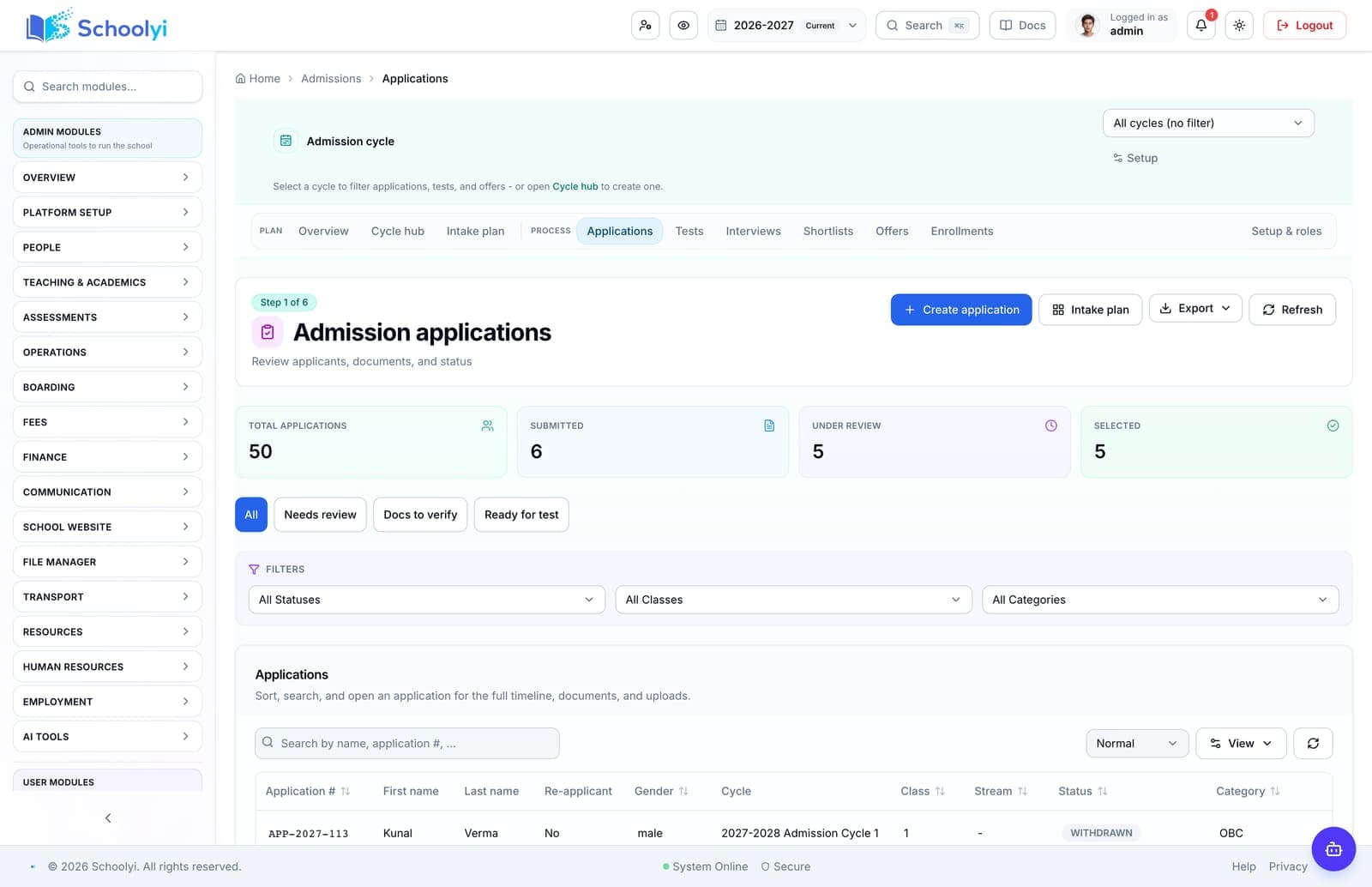
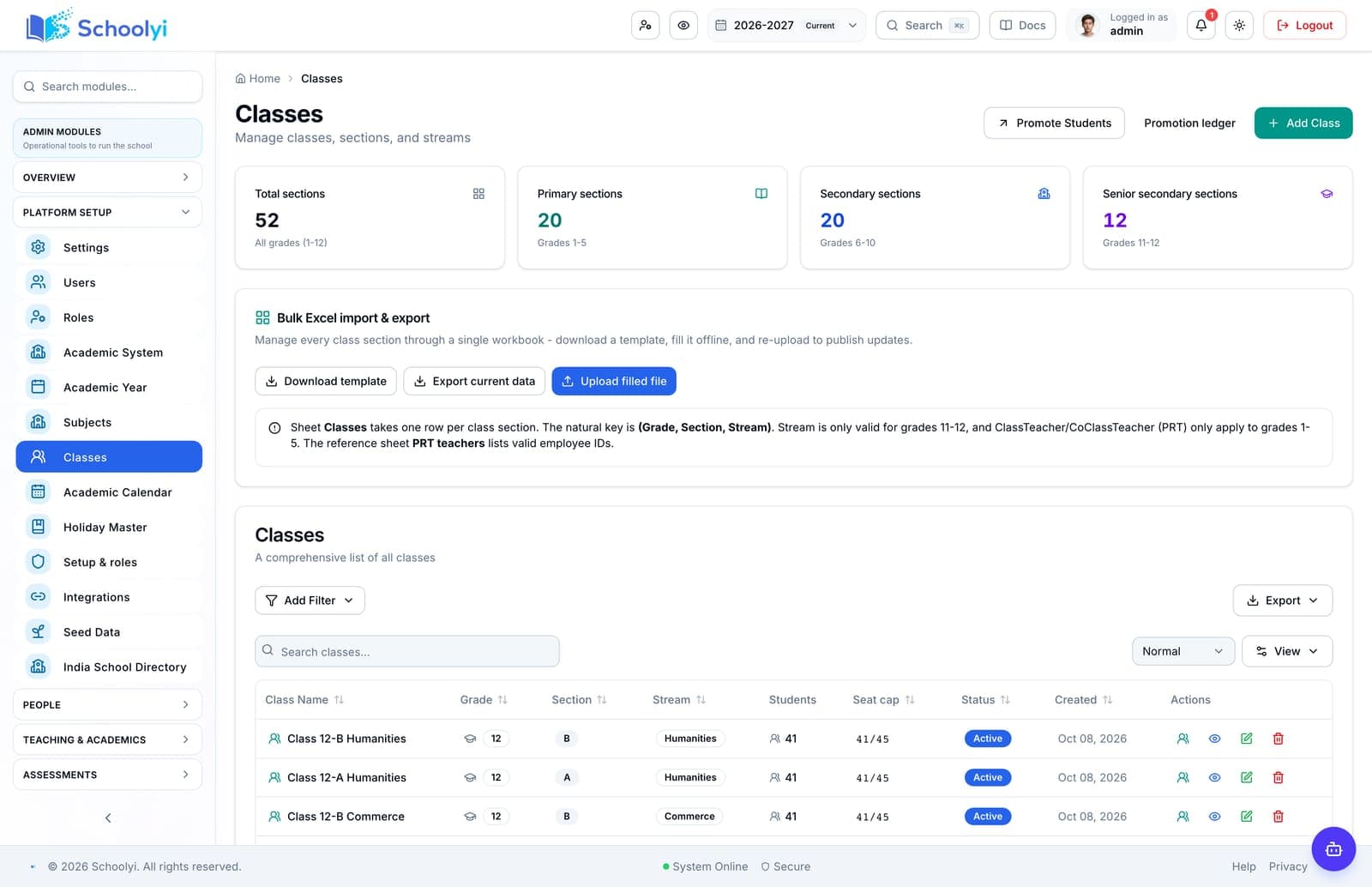
Captured from a demo school, at a size search engines can fetch. Open the module for the rest of the workflow.
At a glance
Move student, guardian, class, fee, and staff data into a clean operating model before inviting the whole school.
Use the linked product and documentation pages to validate the workflow against your school’s data, roles, policies, and deployment.
Read the supporting materialHow it works
A clear sequence makes ownership, exceptions, and the next system action visible.
List every source, owner, export format, date range, and sensitive field.
Choose the authoritative student, guardian, staff, and vendor identifiers before mapping columns.
Resolve duplicates, inactive records, missing class placement, and contradictory contact details.
Import a pilot cohort and compare counts, balances, links, and reports with the source.
Practical artifact
Copy these checkpoints into a kickoff, vendor demo, or readiness review.
Product truth
Good school software copy should answer who owns the work, what the handoff produces, and which parts still depend on deployment decisions.
This page describes the supported workflow boundary. Confirm configuration, integrations, data, and policy requirements in a representative pilot before committing to production.
Deep dive
Use these details to turn a product page into an implementation conversation.
A small, representative cohort reveals mapping and permission problems while recovery is still simple.
The migrated record should support one complete workflow without a second manual identity lookup.
Evidence layer
Read the supporting product and implementation material before making a capability claim.
Straightforward answers for visitors evaluating the product.
A staged import is safer. Start with foundation records, reconcile, then add dependent modules.
Test the answer with a representative record and role before making it part of a live term workflow. Capture the expected result and the exception path so the team can verify it after launch.
Assign an owner for each domain; registrars, finance, HR, and IT should sign off their own records.
Assign a workflow owner and test it with a representative staff account before the busy part of the term. Verify that approvals, coverage details, and sensitive fields remain within the intended role.
Continue exploring
Follow the next link based on the question your team needs to answer.
Admissions to enrollment
Move an applicant from public application through review, offer acceptance, and live student enrollment without retyping the record.
Read the pageSchool data migration checklist generator
Generate a migration checklist for student, guardian, staff, class, fee, and vendor data with reconciliation owners.
Read the page
We can walk through the workflow with your school’s roles, calendar, data, and first-term priorities.
Already using Schoolyi? Sign in