
Product screenshots
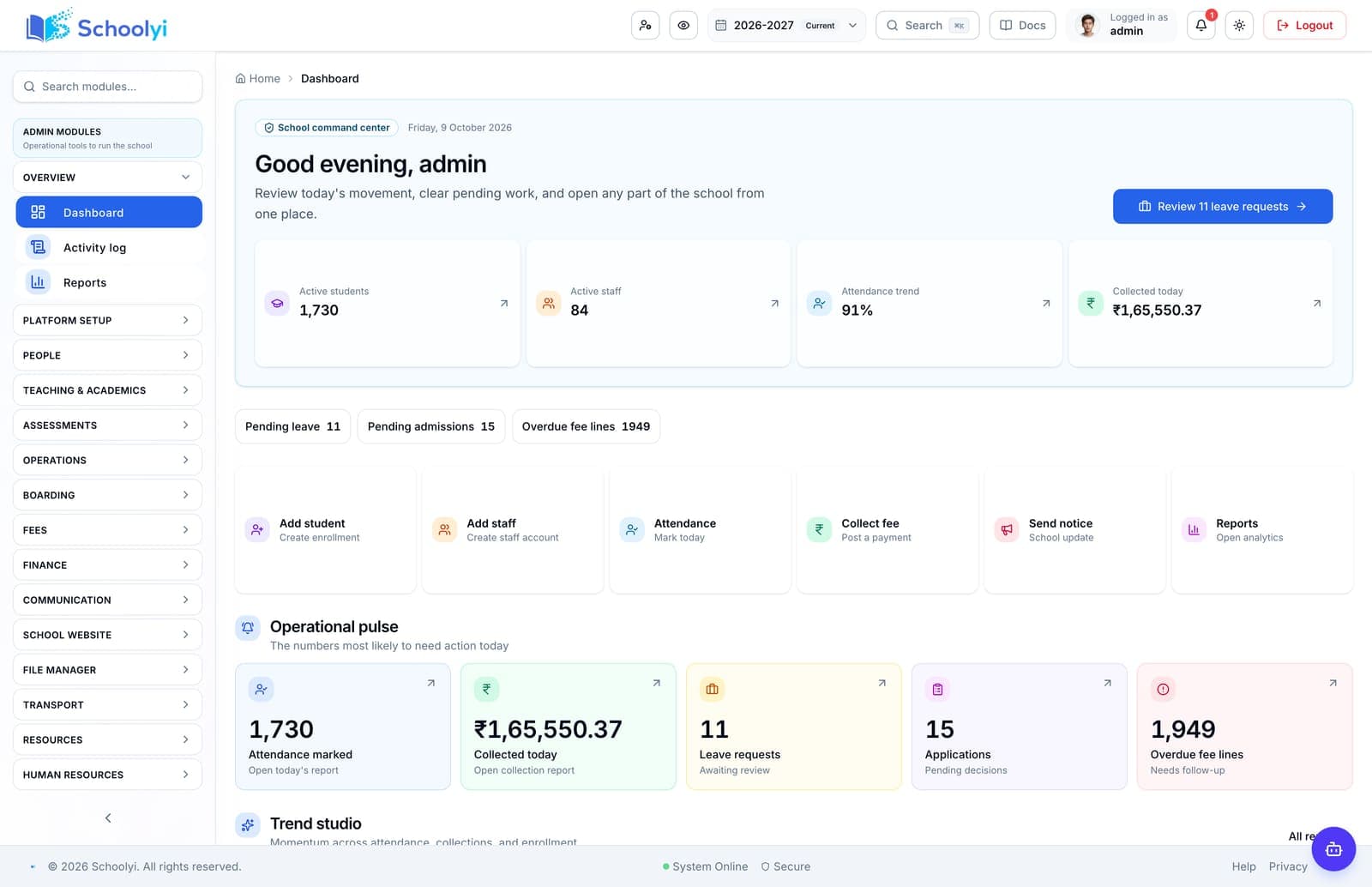
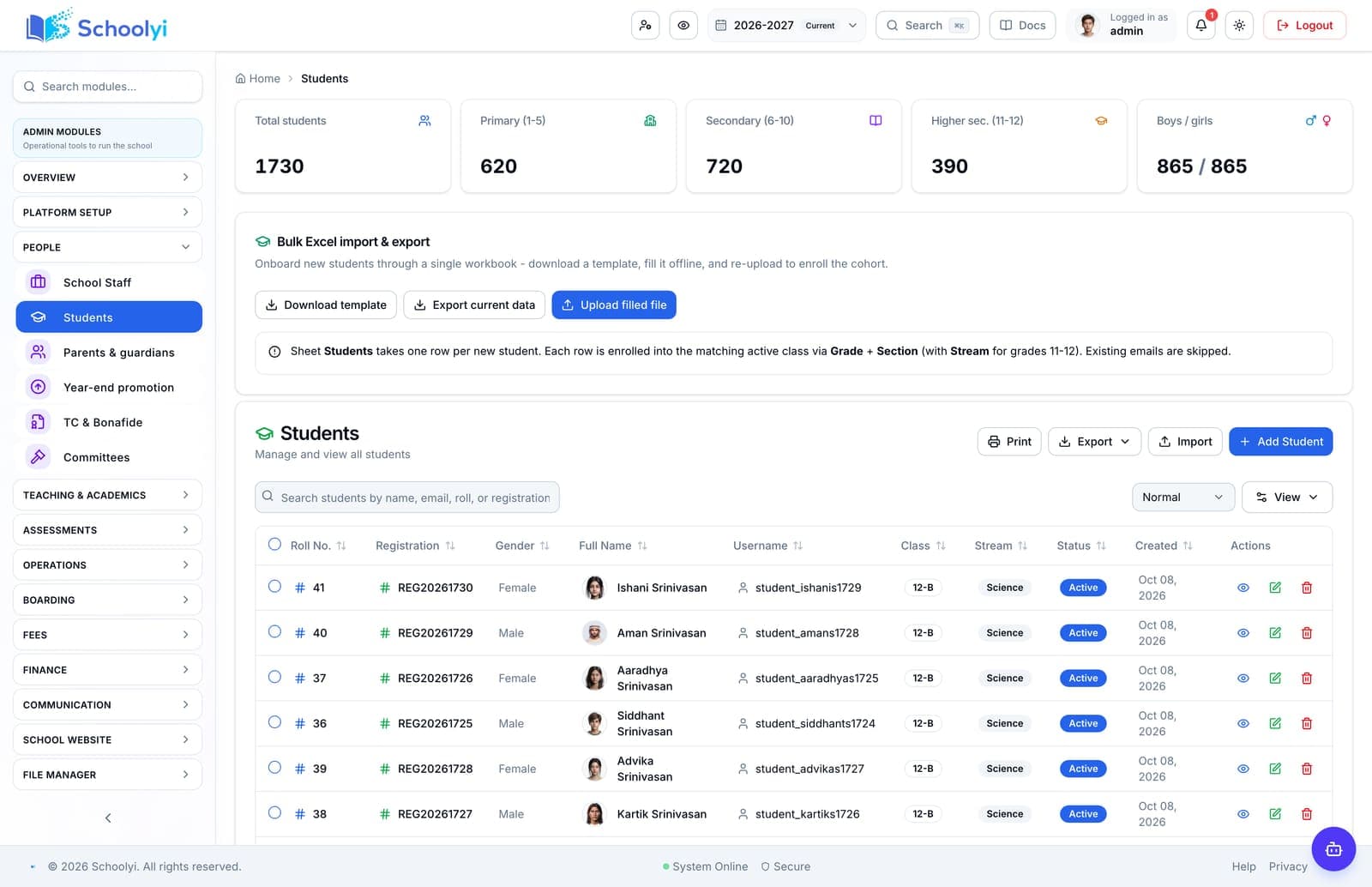
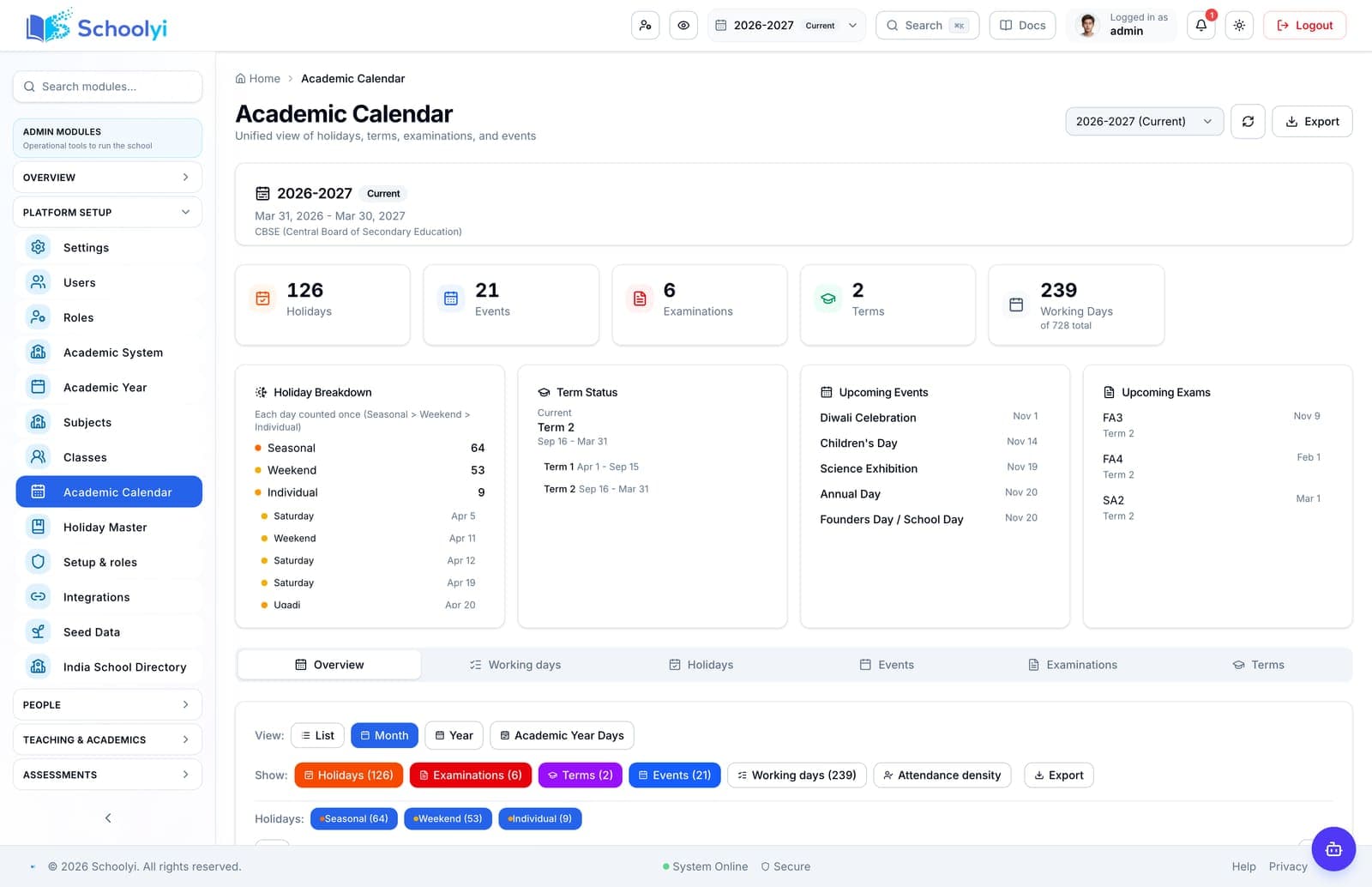
What a rollout has to land in
The command center, the student record, and the academic calendar from a Schoolyi demo school.
Implementation guides
Roll out the workflow your school can actually support
Implementation is a sequence of data, people, permissions, testing, and support decisions. Use these guides to make each one visible.

Choose a question
Start with the page closest to your decision
Each page includes workflow steps, responsible teams, implementation detail, boundaries, evidence links, and FAQs.
Data ownership
Name the source of truth for students, guardians, fees, staff, and academic dates before migration starts.
Phase-one scope
Choose the workflows that must work first, then assign owners for testing, training, and sign-off.
Validation gates
Reconcile imported records, roles, payments, reports, and publish controls before families use the portal.
Available now
School data migration and deduplication
Move student, guardian, class, fee, and staff data into a clean operating model before inviting the whole school.
Read the pageValidate for rollout
Academic-year rollover checklist
Close the old year, create the next academic context, promote students, and validate downstream calendars before reopening work.
Read the pageAvailable now
First 90 days of a school software rollout
Sequence foundation data, one visible workflow, role training, and evidence-based expansion instead of attempting a big-bang launch.
Read the pageAvailable now
Exam results publishing checklist
Prepare exam data, permissions, moderation, report-card templates, and family communication before results release day.
Read the pageValidate for rollout
Parent portal adoption plan
Make the parent portal useful on day one with correct guardian links, clear publication rules, mobile-friendly help, and a support loop.
Read the pageValidate for rollout
School data privacy and RBAC review
Review who can access student, family, finance, HR, and operational data before expanding the school platform.
Read the pageValidate for rollout
Payment and email readiness
Validate gateways, receipts, SMTP, scheduled reminders, failure handling, and support ownership before collecting real fees.
Read the pageAvailable now
School Software Implementation Roadmap
Move from software selection to a measured school rollout with clear phases for discovery, design, pilot, go-live, and controlled expansion.
Read the pageAvailable now
School Software Implementation Plan
Build a school software implementation plan that names scope, owners, data dependencies, acceptance criteria, risks, and the decision required at each phase.
Read the pageAvailable now
School Management Software Implementation Timeline
Set a realistic school management software implementation timeline around data preparation, academic dates, pilot testing, training, go-live, and the first support cycle.
Read the pageValidate for rollout
School Software Training and Change Management Plan
Prepare staff and families for a school software change with role-based training, local champions, practice scenarios, support coverage, and measurable adoption checks.
Read the pageValidate for rollout
School Software Go-Live Checklist
Use a school software go-live checklist to verify data, roles, workflows, communications, integrations, support ownership, recovery, and rollback before opening access.
Read the page
How to use this directory
Guidance before you pick a page
Read this first if you are not sure which page answers your question.
Implementation is a data problem before it is a software problem
The single largest predictor of a smooth rollout is the state of the data you are migrating. Duplicate student records, inconsistent guardian relationships, fee heads that exist only in one accountant’s spreadsheet, and historical results stored in a format nobody can export all cost time that no amount of vendor effort recovers later.
These guides put data readiness first, with the checks worth running before a migration date is agreed rather than discovered during it.
Pick a go-live date that respects the academic calendar
Term boundaries, admissions peaks, fee due dates, and exam windows all constrain when a school can absorb a change. Going live two weeks before an exam cycle, or mid-way through a fee collection period, converts a manageable transition into a crisis.
Each guide names the calendar windows that suit its scope, so the date is chosen from the school year rather than from a project plan.
Budget for training and the first support cycle
Staff time is the largest hidden cost in a school software rollout, and it is spent in two places: training before go-live, and the first complete cycle of every recurring task afterwards. A team that has done one fee run, one attendance month, and one report card cycle in the new system is trained; a team that has attended a session is not.
Plan named support cover through the first occurrence of each recurring cycle, not through a fixed number of weeks. A four-week support window that ends before the first report card cycle is a four-week window that expires exactly when it was needed.
The other cost worth naming early is the work that does not disappear. Every rollout leaves some tasks manual - a reconciliation, an export into an accounting package, a report a regulator wants in its own format. Write those down during evaluation and assign an owner, because a plan that assumes they will be automated later tends to leave them unowned instead.
Questions about this directory
How to use these pages during an evaluation, and what they deliberately do not claim.
How long does school management software implementation take?+
For a single-campus school with reasonably clean data, plan four to eight weeks from contract to first live workflow, then a full academic term before every cycle has run once in the new system. Poor source data, multiple campuses, or accounting integration extend the first figure considerably.
Confirm the campus scope and reporting boundary with a representative deployment before treating the capability as group-wide. Record which work remains local when the school group plans its rollout.
What data should we prepare before migration?+
A deduplicated student list with stable identifiers, guardian relationships and contact details, class and section structure, staff records with roles, the current fee structure including concessions, and whatever historical results or attendance you are contractually or legally required to retain. Everything else can usually follow later.
Before the first collection cycle, reconcile one paid, partially paid, and overdue student account so the family receipt and finance view agree. Keep any tax, gateway, refund, or accounting boundary as an explicit deployment decision.
Should we run the old and new systems in parallel?+
For one cycle of the highest-risk workflow, yes, and for everything else, no. Extended parallel running doubles the workload, splits the authoritative record, and delays the point at which staff commit to the new system. Choose the one workflow where an error would be most costly and shadow that.
Assign a workflow owner and test it with a representative staff account before the busy part of the term. Verify that approvals, coverage details, and sensitive fields remain within the intended role.
When in the year should we go live?+
The start of an academic term or year is easiest for roster, timetable, and attendance. The start of a fee period is easiest for finance. Avoid go-live inside an exam window or an admissions peak. If those constraints conflict, phase the rollout so each module starts at its own natural boundary.
Before the first collection cycle, reconcile one paid, partially paid, and overdue student account so the family receipt and finance view agree. Keep any tax, gateway, refund, or accounting boundary as an explicit deployment decision.
Who should own the implementation inside the school?+
One named internal owner with authority to make configuration decisions, plus one owner per affected workflow. Projects run by committee stall on decisions like whether a fee head is merged; projects run by IT alone tend to produce configurations the office cannot use.
Before the first collection cycle, reconcile one paid, partially paid, and overdue student account so the family receipt and finance view agree. Keep any tax, gateway, refund, or accounting boundary as an explicit deployment decision.

Need help choosing the first page?
Bring your school’s workflow, roles, and first-term priorities to a focused walkthrough.
Already using Schoolyi? Sign in