
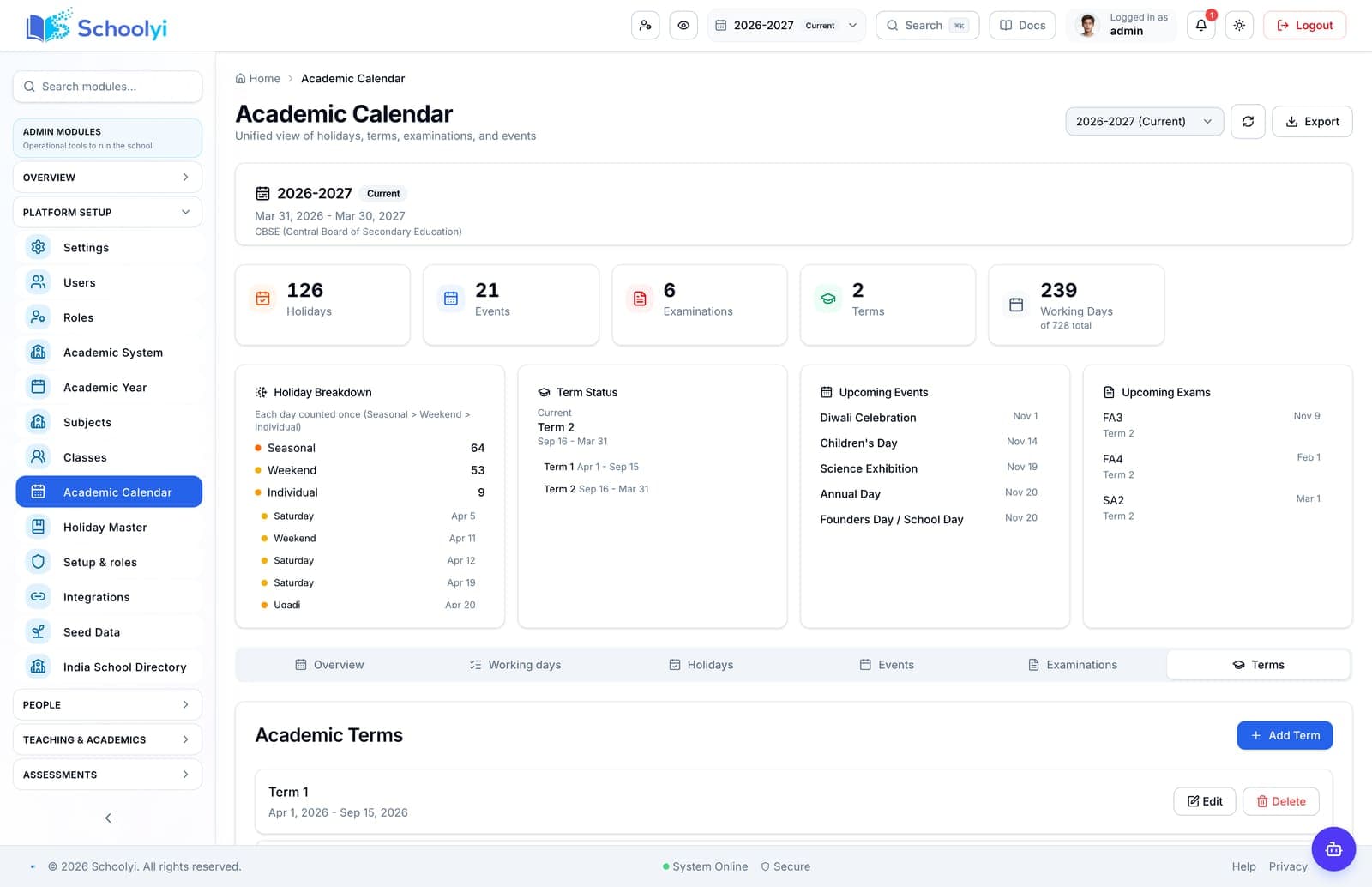
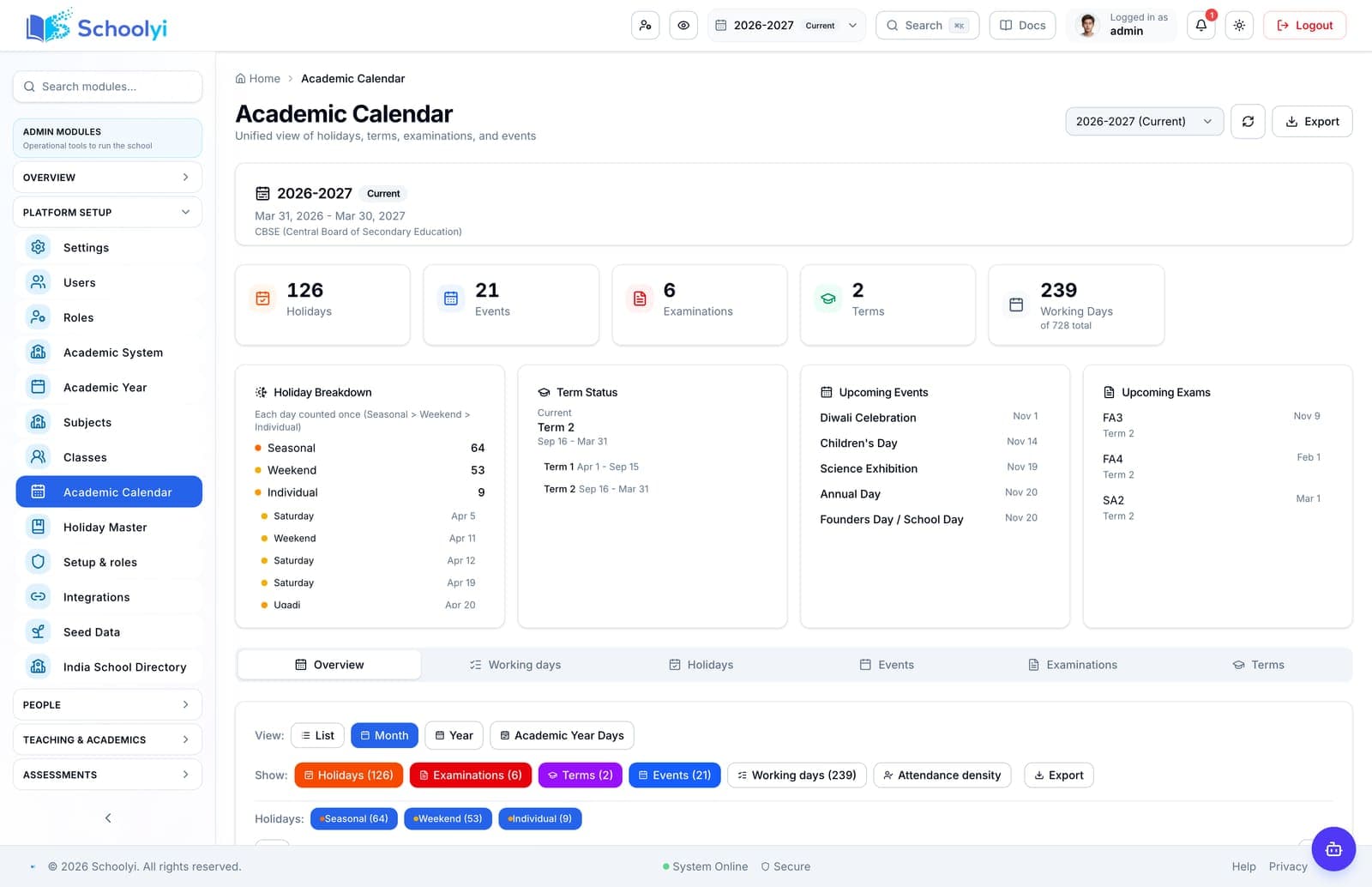
Calendar first
Downstream modules inherit dates and should not be reopened until the new calendar is trusted.
Implementation guide
Close the old year, create the next academic context, promote students, and validate downstream calendars before reopening work. See the workflow, ownership, rollout sequence, and boundaries before choosing a school management platform.

Match modules to your board, size, and priorities.
At a glance
Close the old year, create the next academic context, promote students, and validate downstream calendars before reopening work.
Use the linked product and documentation pages to validate the workflow against your school’s data, roles, policies, and deployment.
Read the supporting materialHow it works
A clear sequence makes ownership, exceptions, and the next system action visible.
Freeze reporting, exports, outstanding corrections, and old-year changes with a named owner.
Configure the next year, terms, holidays, grading, classes, subjects, and working days.
Move students and assignments with an exception queue for leavers, transfers, and new sections.
Verify timetable, attendance, fees, exams, portals, and reports against the new year.
Practical artifact
Copy these checkpoints into a kickoff, vendor demo, or readiness review.
Product truth
Good school software copy should answer who owns the work, what the handoff produces, and which parts still depend on deployment decisions.
This page describes the supported workflow boundary. Confirm configuration, integrations, data, and policy requirements in a representative pilot before committing to production.
Deep dive
Use these details to turn a product page into an implementation conversation.
Downstream modules inherit dates and should not be reopened until the new calendar is trusted.
Keep an exception log for students, guardians, fee rules, and staffing decisions that need human review.
Compare promoted students, class counts, fee assignments, attendance dates, and one family-facing output with the prior-year closeout before broad access returns.
Evidence layer
Read the supporting product and implementation material before making a capability claim.
Straightforward answers for visitors evaluating the product.
Historical access should be planned by role and reporting need; do not treat rollover as deletion.
Test the answer with a representative record and role before making it part of a live term workflow. Capture the expected result and the exception path so the team can verify it after launch.
Test one student, one class, one fee, one attendance day, one timetable period, and one family-facing output.
Before the first collection cycle, reconcile one paid, partially paid, and overdue student account so the family receipt and finance view agree. Keep any tax, gateway, refund, or accounting boundary as an explicit deployment decision.
It should not. Treat the old year as historical context and review promotion or transfer exceptions before committing the new academic-year state.
Test the answer with a representative record and role before making it part of a live term workflow. Capture the expected result and the exception path so the team can verify it after launch.
Continue exploring
Follow the next link based on the question your team needs to answer.
Calendar to attendance
Use one academic calendar to decide when school is open, mark attendance accurately, and show families a consistent history.
Read the pageAcademic-year rollover checklist
Prepare a year-end and new-year smoke test covering calendar, promotion, timetable, attendance, fees, exams, and portals.
Read the page
We can walk through the workflow with your school’s roles, calendar, data, and first-term priorities.
Already using Schoolyi? Sign in