
Data quality rule
A record should have one owner for corrections and a clear process for deactivation, transfer, and alumni handoff.
For registrars
Keep one student record current across admissions, class placement, guardians, certificates, fees, and academic history. See the workflow, ownership, rollout sequence, and boundaries before choosing a school management platform.

Dashboards, approvals, and cross-department visibility.
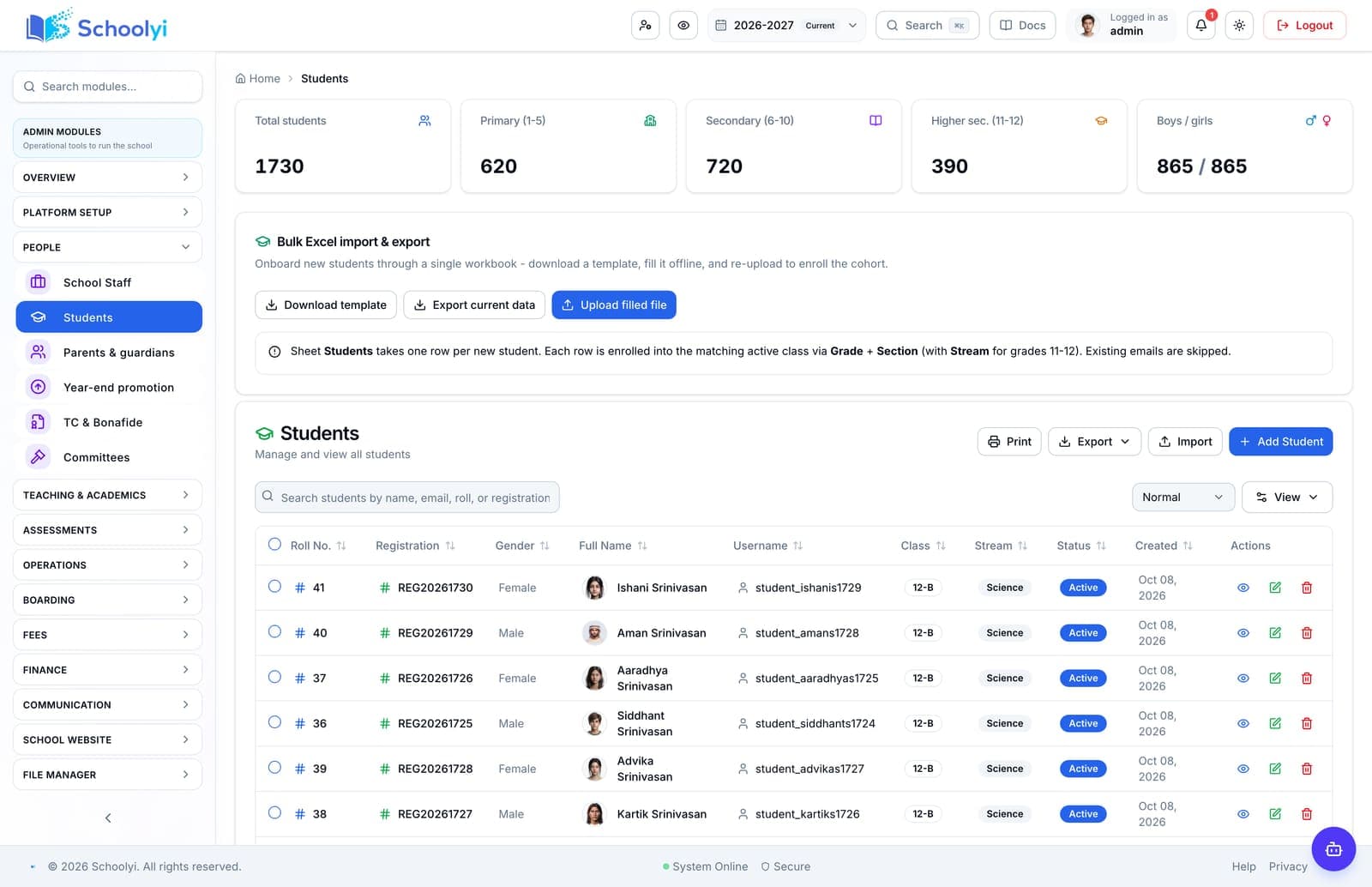
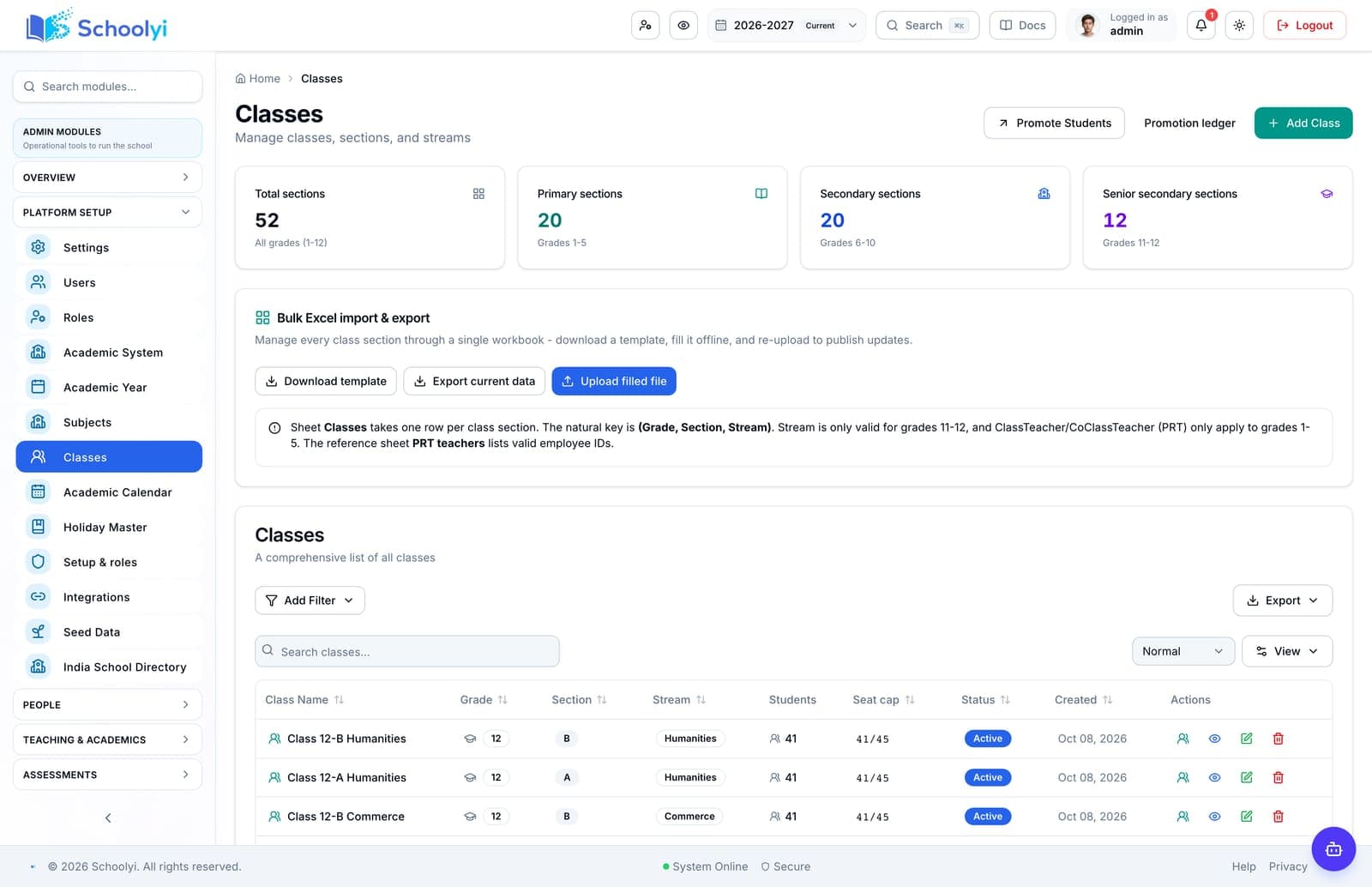
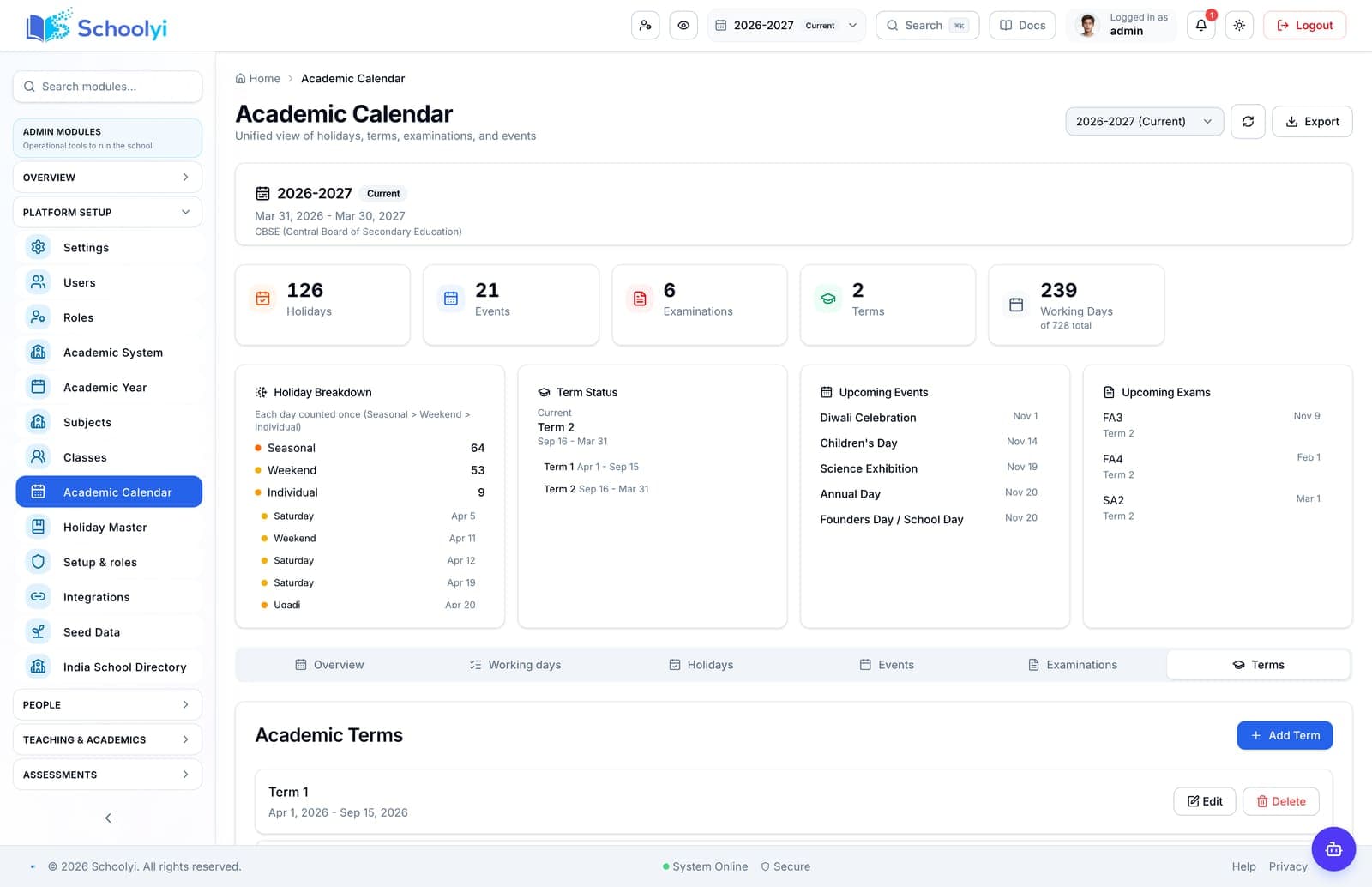
Product screenshots
Captured from a demo school, at a size search engines can fetch. Open the module for the rest of the workflow.
At a glance
Keep one student record current across admissions, class placement, guardians, certificates, fees, and academic history.
Use the linked product and documentation pages to validate the workflow against your school’s data, roles, policies, and deployment.
Read the supporting materialHow it works
A clear sequence makes ownership, exceptions, and the next system action visible.
Review the student profile, guardian links, documents, and duplicate candidates.
Assign class and section with the active academic year and transfer history.
Update family, contact, status, certificate, and promotion data from one record.
Give downstream teams the current record while restricting sensitive fields to the right role.
Product truth
Good school software copy should answer who owns the work, what the handoff produces, and which parts still depend on deployment decisions.
This page describes the supported workflow boundary. Confirm configuration, integrations, data, and policy requirements in a representative pilot before committing to production.
Deep dive
Use these details to turn a product page into an implementation conversation.
A record should have one owner for corrections and a clear process for deactivation, transfer, and alumni handoff.
Sibling and guardian links reduce duplicate accounts while keeping each child’s record distinct.
Make rollover, transfer, certificate, and deactivation decisions visible to the record owner so historical data is preserved rather than overwritten.
Evidence layer
Read the supporting product and implementation material before making a capability claim.
Straightforward answers for visitors evaluating the product.
Transfer and bonafide certificate workflows are part of the student-record capability set.
Test the answer with a representative record and role before making it part of a live term workflow. Capture the expected result and the exception path so the team can verify it after launch.
Promotion and academic-year rollover should be reviewed as a controlled operation, not a bulk blind update.
Test the answer with a representative record and role before making it part of a live term workflow. Capture the expected result and the exception path so the team can verify it after launch.
No. Access remains role-scoped; assign correction ownership and verify both page access and API enforcement for sensitive records.
Treat that boundary as an explicit procurement or deployment decision. Document the responsible owner and any supporting process before rollout.
Continue exploring
Follow the next link based on the question your team needs to answer.
Admissions to enrollment
Move an applicant from public application through review, offer acceptance, and live student enrollment without retyping the record.
Read the pageSchool data migration checklist generator
Generate a migration checklist for student, guardian, staff, class, fee, and vendor data with reconciliation owners.
Read the page
We can walk through the workflow with your school’s roles, calendar, data, and first-term priorities.
Already using Schoolyi? Sign in