
Product screenshots
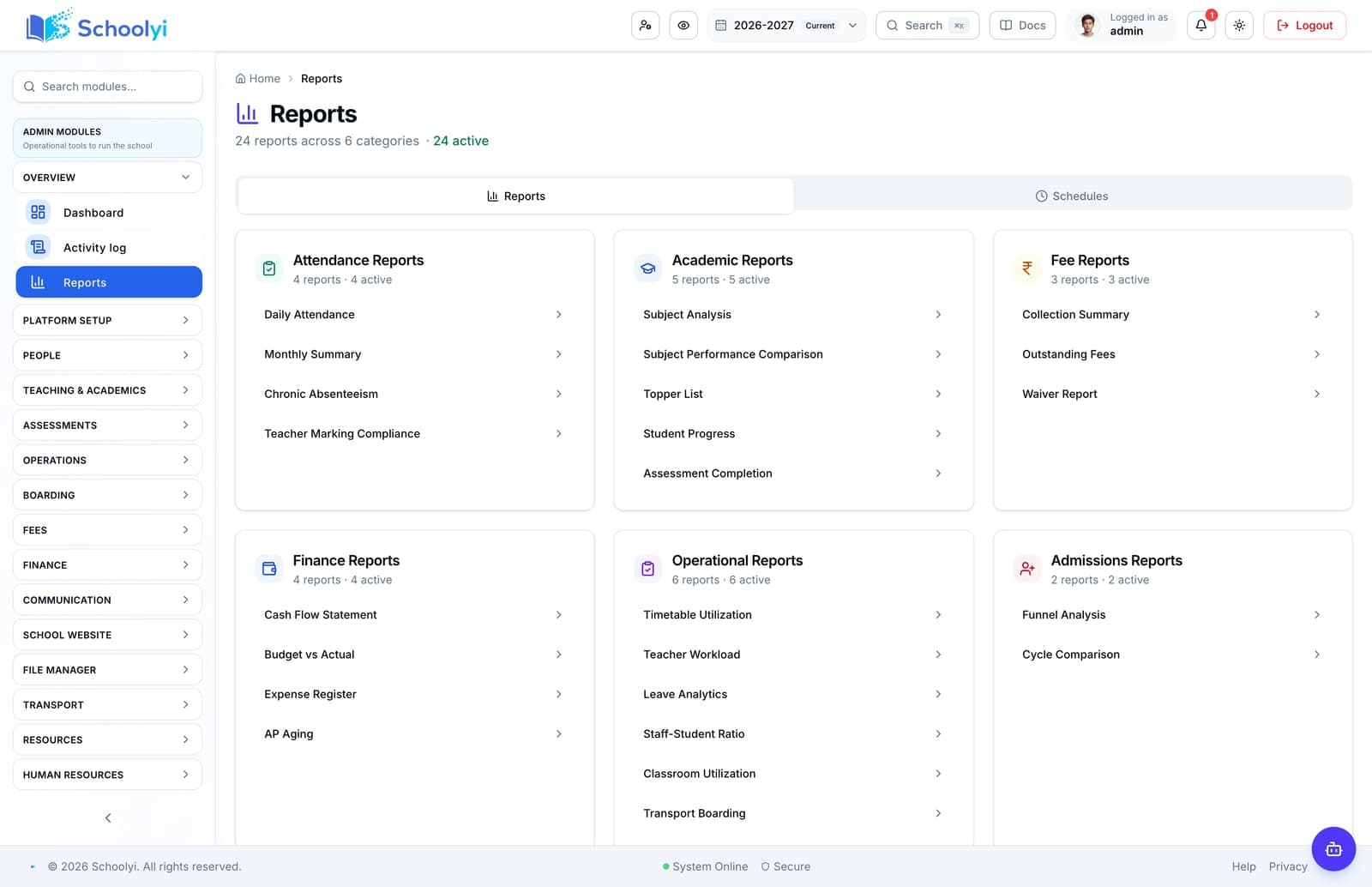
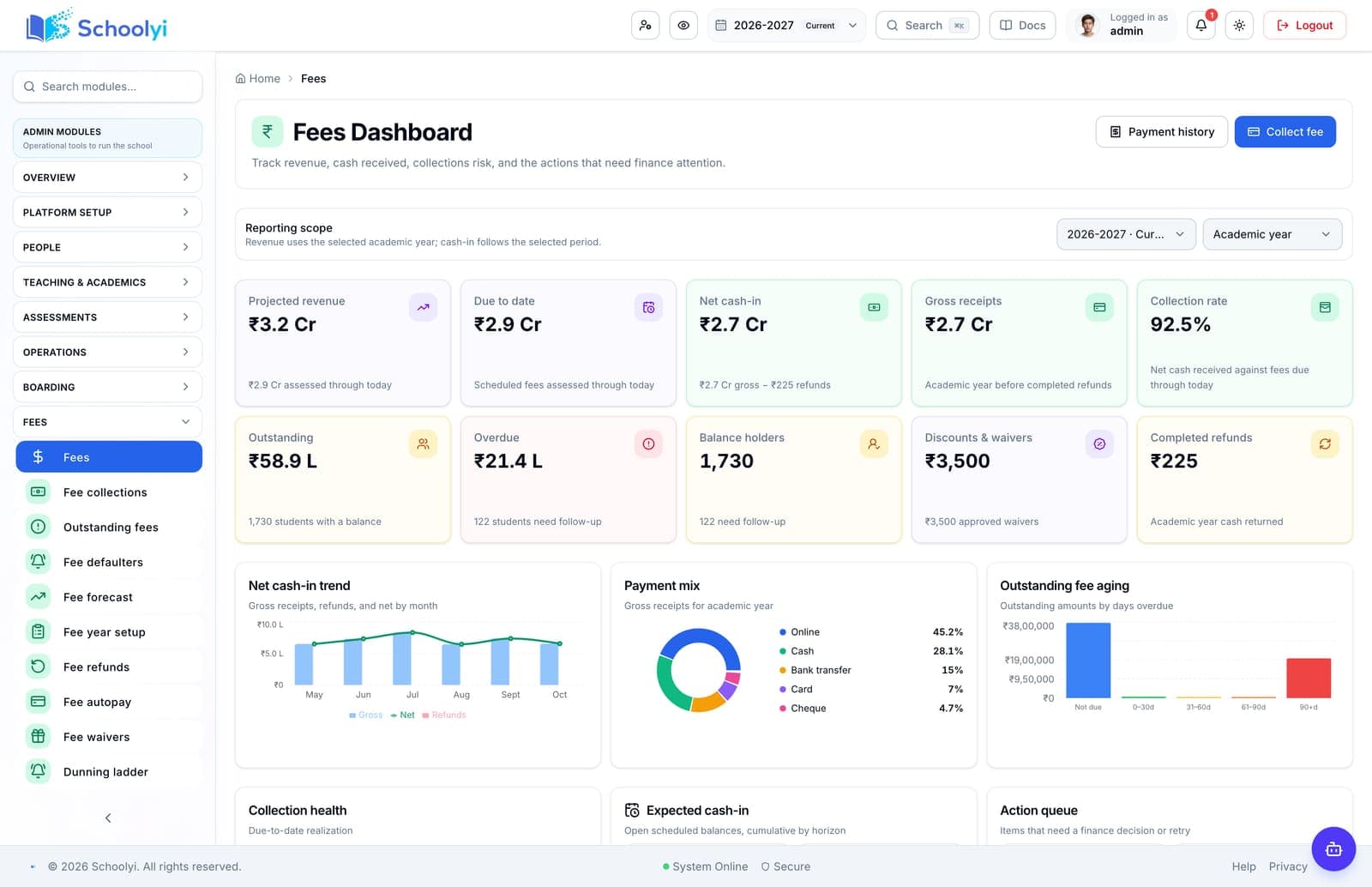
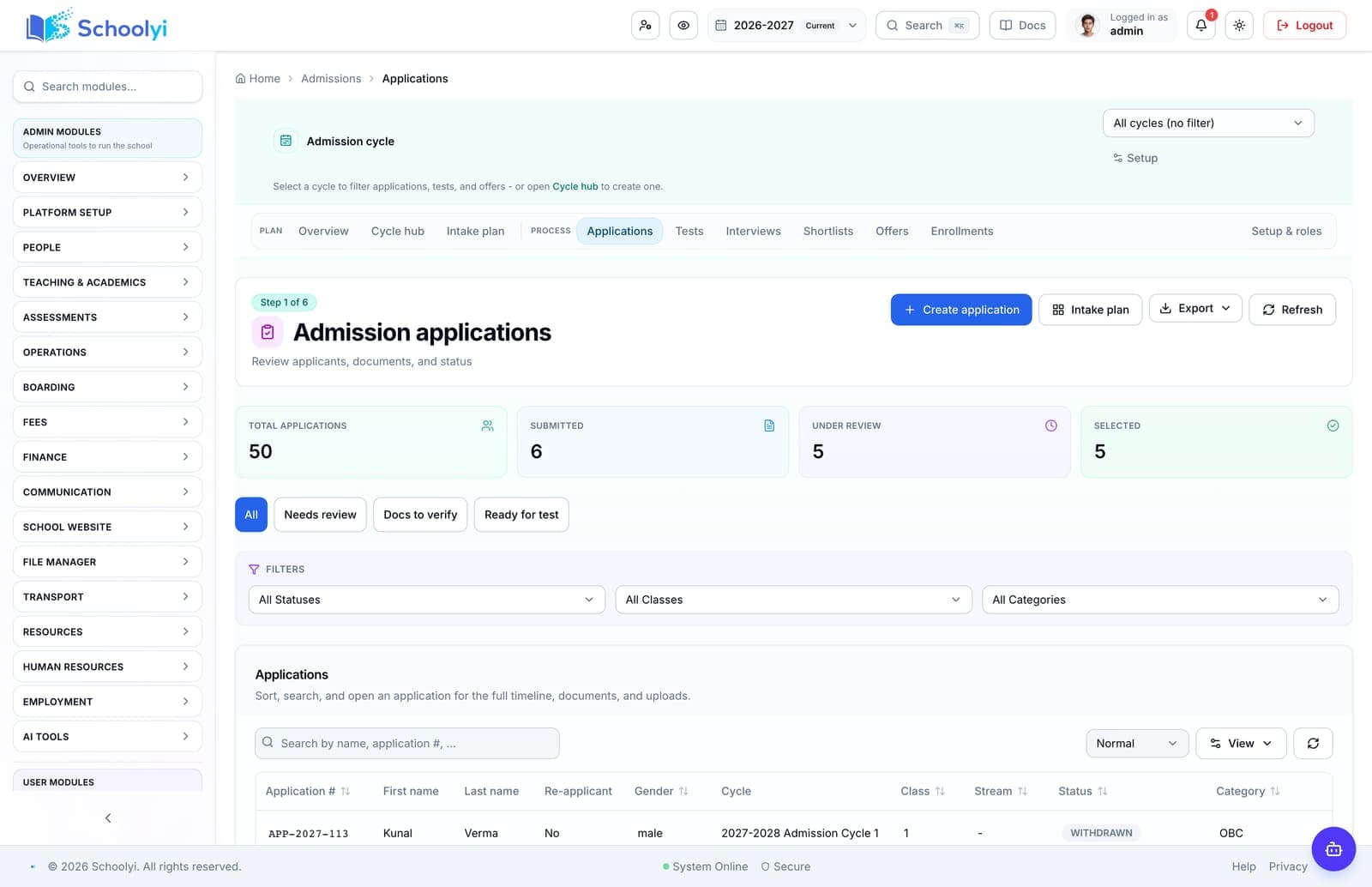
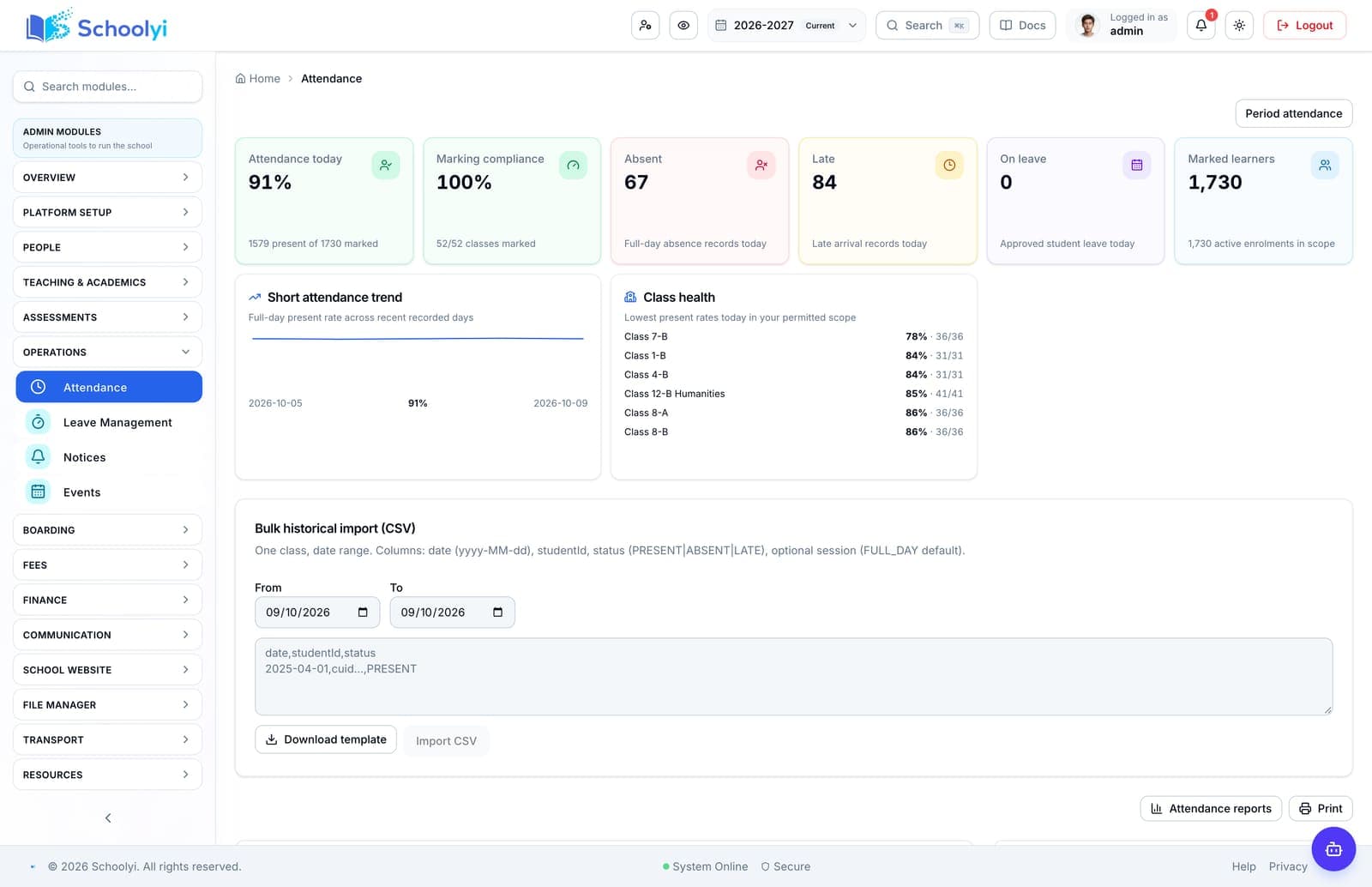
A different screen for each team
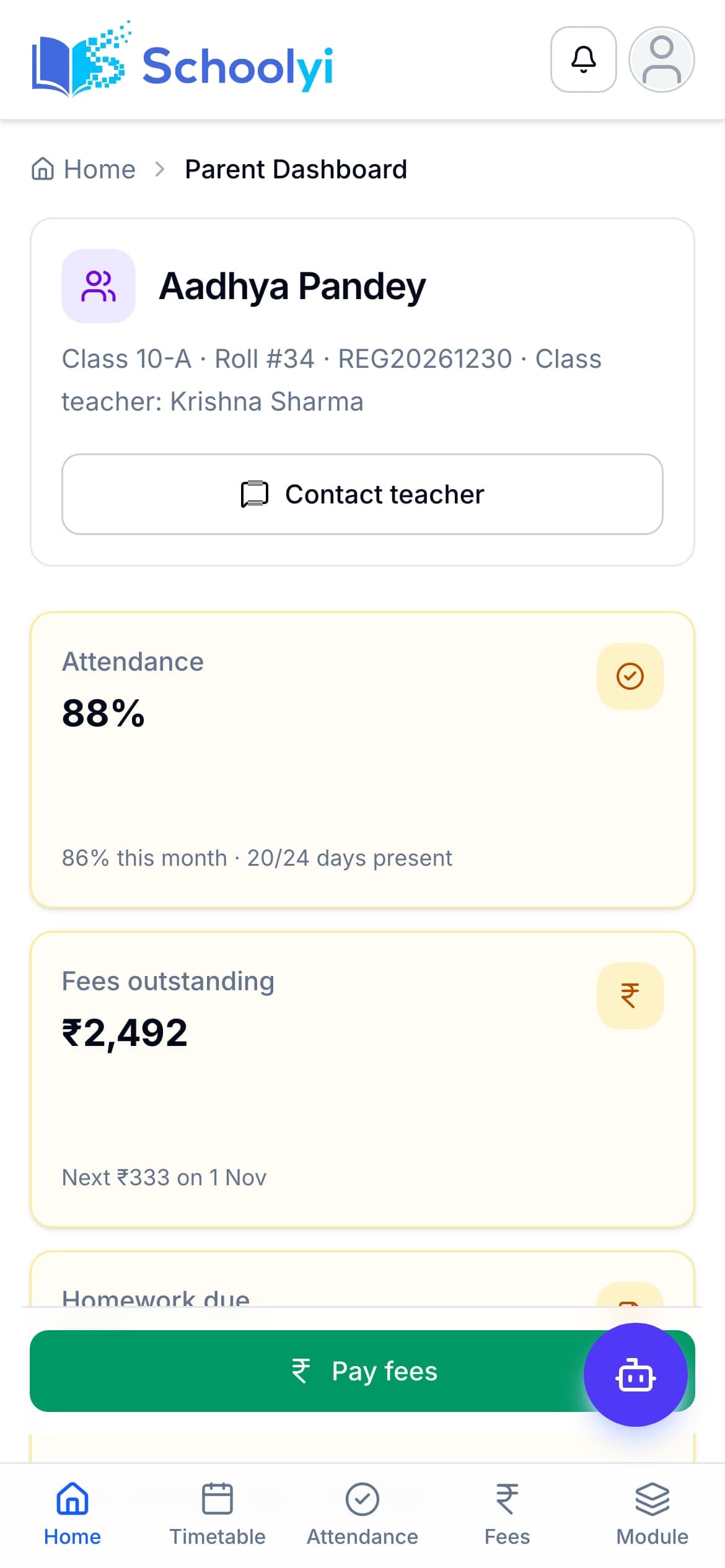
Leadership, fees, admissions, attendance, and the parent phone, captured from a Schoolyi demo school.
For school teams
Start with the person who owns the work
Every role sees a different part of the school year. Explore the decisions, permissions, measures, and rollout sequence that matter to each team.

Choose a question
Start with the page closest to your decision
Each page includes workflow steps, responsible teams, implementation detail, boundaries, evidence links, and FAQs.
Validate for rollout
School management software for principals
Give principals a connected view of admissions, attendance, fees, exams, staffing, and operational follow-through.
Read the pageValidate for rollout
School management software for private schools
Connect private-school admissions, fees, academics, and family communication without making a lean office manage several disconnected systems.
Read the pageValidate for rollout
School management software for international schools
Evaluate international-school software around multi-board records, mobile-family admissions, fees, reporting, and a rollout that can absorb local variation.
Read the pageValidate for rollout
School management software for boarding schools
Evaluate boarding-school software by testing residential records, houses, rooms, leave, safeguarding boundaries, and connection to day-school operations.
Read the pageValidate for rollout
School management software for small schools
Help small schools start with connected admissions, student records, fees, and family workflows without paying for an implementation they cannot absorb.
Read the pageAvailable now
Admissions software for school admissions teams
Replace inquiry spreadsheets with a visible pipeline from application and document collection to offer and enrollment.
Read the pageAvailable now
Student records software for registrars
Keep one student record current across admissions, class placement, guardians, certificates, fees, and academic history.
Read the pageValidate for rollout
School finance software for bursars and finance teams
Connect fee structures, collections, receipts, budgets, vendor bills, payroll, and leadership reporting in one operating context.
Read the pageValidate for rollout
School software for teachers
Give teachers the class, timetable, attendance, lesson, homework, and grade context they need without exposing unrelated administration.
Read the pageValidate for rollout
Parent portal for school families
Give families one login for linked children, fees, receipts, attendance, grades, exams, transport, and school communication.
Read the pageValidate for rollout
School platform administration and IT
Control accounts, roles, school settings, integrations, sessions, audit exports, and rollout readiness from one administration layer.
Read the pageValidate for rollout
Boarding school operations software
Coordinate houses, rooms, mess, leave, wardens, and parent visibility alongside the same student record as day-school operations.
Read the page
How to use this directory
Guidance before you pick a page
Read this first if you are not sure which page answers your question.
Every role sees a different school year
A registrar experiences the year as admissions peaks and transfer paperwork. A bursar experiences it as fee cycles, arrears, and reconciliation. A teacher experiences it as timetable, attendance, and assessment deadlines. A parent experiences it as notifications, receipts, and results. The same platform can be excellent for one of those people and hostile to another.
These pages are organised by who owns the work, so you can check the platform against the daily reality of the person who will actually use it rather than against a generic administrator persona.
Use role pages to build your evaluation panel
Software decisions made by leadership alone tend to surface objections after go-live, when changing course is expensive. Reading the page for each affected role tells you which questions that role should be asked to answer during evaluation, and which screens they need to see in a demo.
A practical panel is one person per role page relevant to your school, each with two scenarios drawn from their own term. Ask each of them to bring the awkward case rather than the routine one - the mid-year transfer, the sibling discount applied after invoicing, the substitute covering two sections - because a demo of the routine case tells you almost nothing about how the platform behaves when the year does not cooperate.
Keep the panel small enough to reach a decision. Five people with clear ownership of their own workflow will produce a sharper evaluation than a committee of twelve, and they can each be held to a written answer on whether their scenarios were demonstrated, configured, or left unresolved.
Permissions follow roles, so design them early
Role structure is not only an evaluation lens; it is a configuration decision. Who can edit a published grade, who can waive a fee, who sees a safeguarding note, and who can export a full student list are questions that need answers before data migration, not after.
Each role page names the permissions that role typically needs and the ones it should not have, which gives you a starting point to review with your leadership team.
Continue with
Questions about this directory
How to use these pages during an evaluation, and what they deliberately do not claim.
Who should be involved in choosing school management software?+
At minimum: the person who owns admissions, the person who owns fees, one academic lead, one classroom teacher, and whoever handles IT or data protection. Leadership sets the budget and the outcome, but these are the people whose daily work determines whether the platform is adopted or worked around.
Before the first collection cycle, reconcile one paid, partially paid, and overdue student account so the family receipt and finance view agree. Keep any tax, gateway, refund, or accounting boundary as an explicit deployment decision.
How do we stop one department dominating the requirements?+
Give each role the same format: two real scenarios from the last term and the three tasks that currently take the most time. Comparing like-for-like submissions makes it visible when one department is asking for convenience while another is asking to remove a structural bottleneck.
Set the academic calendar before enabling dependent workflows, then test one holiday and one working-day exception against the resulting attendance or exam view. Keep the school’s local policy as the authority for edge cases.
What if the same person holds several roles?+
Common in smaller schools, and it matters for permission design. Read each role page that applies and check whether the platform supports one account holding multiple role permissions, with an audit trail, rather than requiring separate logins or granting blanket administrator rights.
Record the responsible administrator and verify the control in the target deployment before production data is loaded. Keep the evidence with the school’s procurement or access-review record.
Which role usually gets overlooked?+
Parents and guardians, followed by classroom teachers. Both are high-volume users with low tolerance for friction and neither is usually in the room during procurement. If the family portal and the teacher daily flow are not tested with real users, adoption problems arrive in the first term.
Test the guardian link and publication boundary with a sample family before inviting the wider parent community. Confirm that each linked child exposes only the records the school intends.

Need help choosing the first page?
Bring your school’s workflow, roles, and first-term priorities to a focused walkthrough.
Already using Schoolyi? Sign in